
What Is a Common Data Environment and How Is It Used in the Construction Industry?
What's new: ISO 19650 parts and German requirements, the four CDE states, openCDE APIs, a CDE software and pricing table, an implementation guide, common mistakes, AI and an FAQ.
Summarize with AI
Read summarized version with AI
- A common data environment (CDE) is the agreed source of information for a project or asset under ISO 19650: a workflow for naming, checking and approving information, plus the software that enforces it.
- Every information container moves through four states: work in progress, shared, published and archive. Transitions need checks and approvals, and every step is logged.
- BIM produces the information and the CDE controls and shares it. Open formats (IFC, BCF, COBie) and buildingSMART openCDE APIs reduce lock-in.
- ISO 19650 now has six parts, with part 6 on health and safety information published in 2025. Germany adds DIN SPEC 91391 and has made BIM the standard method in federal highway construction from 2025.
- Licenses are priced per user (Trimble Connect from $349 per user per year) or by construction volume (Procore), but setup, integrations and training usually cost more.
Construction projects create a massive amount of data: models, drawings, specifications, RFIs, inspection records, invoices and site photos. This data needs to be organized, distributed and checked to run a project efficiently. That is a tall order for a team made up of different companies with different ways of managing things.
Each stakeholder often uses its own set of software and tools for project information. The result is fragmented workflows and unreliable data, and the bill is real. An FMI study published with Autodesk estimated that bad data may have cost the global construction industry $1.848 trillion in 2020 and caused 16% of all construction rework that year. In the same study, 30% of respondents said more than half of their data was bad.
Now imagine one place that stores and manages reliable project data for the entire project team. That is what a common data environment (CDE) is for. This guide explains what a CDE is under ISO 19650, how its four states work, how it fits with BIM, which standards and tools matter in 2026, what it costs, how to implement one step by step, the mistakes we see most often and how AI changes the picture. It closes with our experience on Visoplan, a construction collaboration platform we have helped build since 2021.
What is a common data environment (CDE)?
A common data environment is the agreed source of information for a project or an asset. All parties collect, manage and share their information through it. The term comes from ISO 19650, the international series of standards for managing information over the life of a built asset with BIM.
In practice, a CDE holds design and construction data, drawings, models, schedules, reports and correspondence, with version control, approvals and an audit trail of who changed what and when. It keeps every stakeholder informed about progress, schedule, budget and scope, and it makes sure everyone works with the same, current information.
The term has two meanings, and it helps to keep them apart:
- The CDE as a workflow. The agreed rules: how information is named, which status it carries, who checks and approves it, and how it moves from a draft to a contract document. Most of what ISO 19650 says about the CDE is about this.
- The CDE as a solution. The software that enforces the workflow: usually a cloud platform with document management, a model viewer, issue tracking, permissions and approval routes. Most firms buy one. Construction software companies build their own or extend a product with custom modules.
A tool without the workflow is a shared drive with a nicer interface. A workflow without a tool collapses under the volume of a real project. You need both.
Inside the CDE, every file or set of structured data is an information container with metadata: revision, status, classification, author and the date it changed. The metadata is what makes the CDE useful. It tells every party at a glance whether a drawing is a draft, shared for coordination or approved for construction.
The four CDE states: work in progress, shared, published and archive
ISO 19650 defines a status model that every information container moves through. BIM Deutschland, which publishes BIM guidance on behalf of German federal ministries, summarizes the four areas like this:
| State | What it holds | Who sees it | Can it change? |
|---|---|---|---|
| Work in progress | Working versions a task team is producing | Only the internal team | Yes, freely |
| Shared | Information that passed the team's internal quality check, released for coordination and comments | Other parties on the project | Not in place: a new revision goes back through work in progress |
| Published | Approved, binding information, for example for construction or handover | All authorized parties | Only through a formal change process |
| Archive | Information kept for the long term, for documentation, operation and maintenance | Authorized parties, under defined retention rules | No |
The transitions matter as much as the states. Moving a container from work in progress to shared needs a check against the project's standards and naming rules. Moving it from shared to published needs authorization by the party that is accountable for it. Every transition is logged, and that log is how a CDE answers the question every claims manager eventually asks: who knew what, and when?
National guidance adds detail on top of this, such as status and suitability codes. The four states are the common core, and any CDE solution you consider should support them without workarounds.
Why is the common data environment important for construction projects?
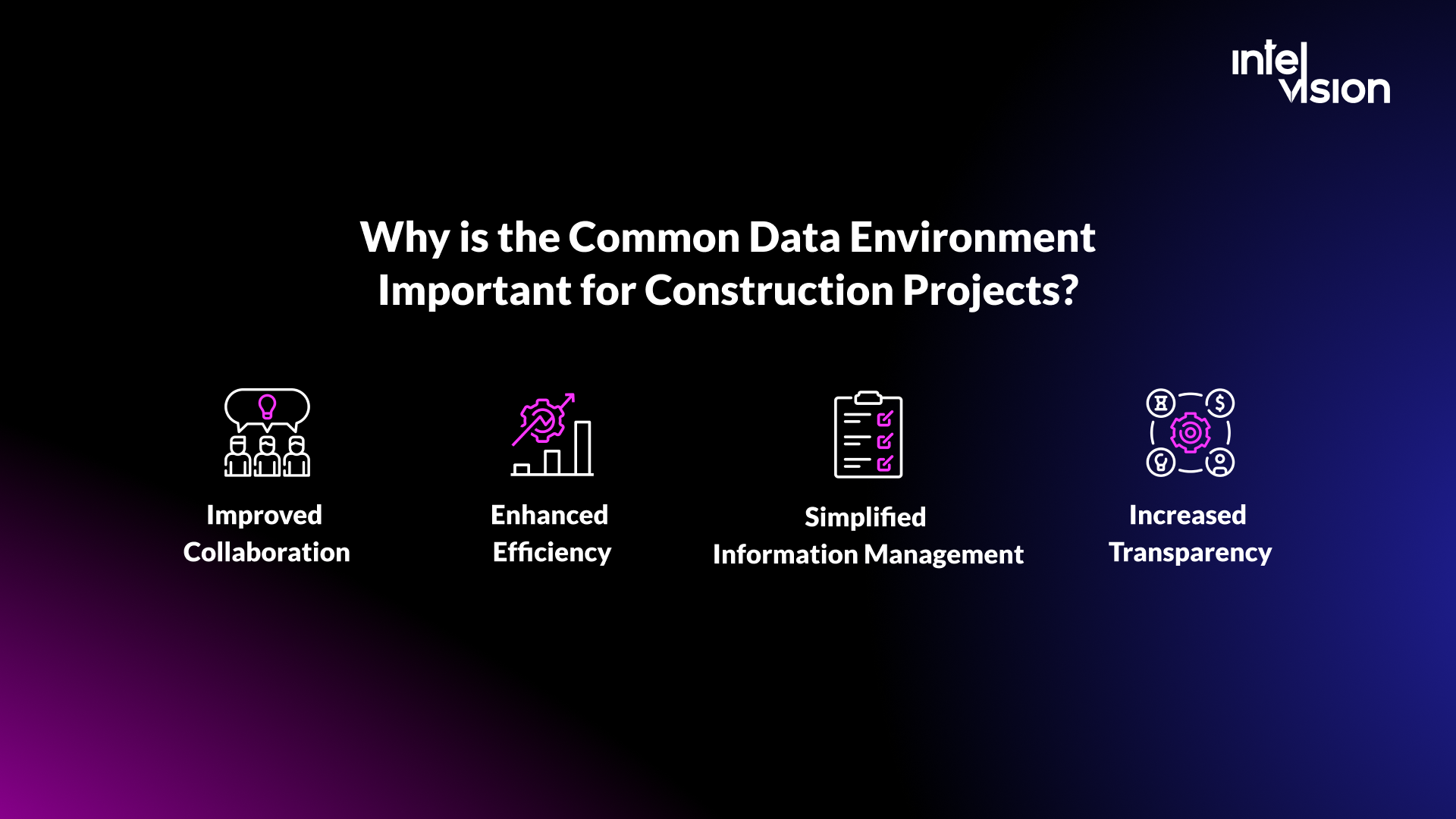
With a CDE, designers, contractors, clients and investors work from the same up-to-date data. That promotes teamwork and open communication, and it pays off in five ways.
Improved collaboration
All stakeholders share and work on the same data. Decisions are made on the latest information, which means fewer misunderstandings and faster answers. A subcontractor checking a drawing on site sees the published revision, not the one attached to an email three weeks ago.
Enhanced efficiency
Centralizing project information removes the need for multiple copies of documents and revisions. That reduces errors, duplication and missing information, and it helps teams deliver on time, within budget and to specification. Given the FMI estimate that bad data may have caused 16% of rework in 2020, a single controlled source is one of the cheapest rework prevention measures a project can buy.
Simplified information management
Information is stored in a structured way, with agreed names and metadata, which makes it easy to organize, search and retrieve. New team members find what they need without asking three people.
Increased transparency
Key stakeholders get full visibility of the project, including updates, changes and documentation. That builds trust, trust drives adoption, and adoption produces more project data and better insights.
Better handover to operations
Published and archived information becomes the starting point for operating the asset. ISO 19650-3 covers the operational phase, and a CDE that kept clean metadata during construction turns handover into an export rather than a months-long document hunt.
How do BIM and the CDE fit together?
Building Information Modeling (BIM) is the process of creating and managing a digital model of the physical and functional characteristics of a building or infrastructure asset. The CDE is the central repository where that information, and everything around it, is stored, managed and shared by the project team.
The two depend on each other. BIM models contain information that has to reach the whole team, and the CDE is the controlled platform for doing that. Combined, they reduce errors and rework, improve communication and make the information reliable enough to build from.
Open formats keep the combination from locking you into one vendor. BIM Deutschland lists IFC, BCF and COBie as the open formats a CDE should support: IFC for models, BCF for issues and comments tied to model elements, and COBie for structured handover data. It also notes that some CDEs only work inside closed ecosystems, which is worth checking before you sign.
The next step is open interfaces between tools. buildingSMART's openCDE is a portfolio of API standards: a Foundation API, plus the BCF API and the Documents API built on top of it. The Documents API, published as version 1.0, describes how an authoring tool uploads files to a CDE and downloads them, with the user picking files and entering metadata in the CDE's own interface. It does not yet cover automatic syncing between two or more CDEs. If the client and the main contractor each run their own CDE, you still need an agreed exchange process or a custom integration.
CDE standards and requirements in 2026
The CDE is defined by the ISO 19650 series. These are its parts and editions:
| Part | Subject | Edition |
|---|---|---|
| ISO 19650-1 | Concepts and principles | 2018 |
| ISO 19650-2 | Delivery phase of assets | 2018 |
| ISO 19650-3 | Operational phase of assets | 2020 |
| ISO 19650-4 | Information exchange | 2022 |
| ISO 19650-5 | Security-minded information management | 2020 |
| ISO 19650-6 | Health and safety information | 2025 |
Parts 1 to 3 have been under review since 2024: draft amendments to parts 1 and 2 were scheduled for early 2026 and to part 3 for mid-2026. If you are writing ISO 19650 into contracts or configuring a new CDE, check the current editions with your national standards body first.
Countries add their own layer:
- United Kingdom. The IMI Framework from BSI and nima collects the BS EN ISO 19650 parts with related standards such as BS 8536:2022 on design, manufacture and construction for operability.
- Germany. DIN EN ISO 19650 applies, alongside DIN SPEC 91391 on common data environments for BIM projects and VDI 2552 Blatt 5 on BIM data management. In federal highway construction, BIM has been introduced as the standard method from 2025, which puts CDE-based delivery into every major federal road project.
On private projects, the requirements come from the contract: the client's information requirements and the BIM execution plan that answers them. ISO 19650 names several layers of requirements (organizational, asset, project and exchange information requirements). You do not need all the acronyms to start, but you do need a written answer to one question: which information must be delivered, in which format, by whom and when?
What challenges can the common data environment help you with?
These are the problems a well-run CDE solves on real projects.
Collaboration
The CDE gives all stakeholders one platform to work on together in near real time. That cuts the number of coordination meetings and the time spent reconciling versions.
Document management
Construction relies heavily on documentation. A CDE manages drawings, specifications, contracts, submittals and reports in one place, with version control and controlled access.
Data security
Role-based access rights and audit trails that log access and changes are standard CDE functions. For sensitive assets, ISO 19650-5 sets out a security-minded approach: decide who may see what before the information exists, not after it has leaked.
Project monitoring and control
Because approvals, issues and revisions live in one system, the CDE becomes a source of progress data: open issues per discipline, approval cycle times, overdue submittals. Managers monitor the project from facts instead of status meetings.
Claims and disputes
When a dispute arises, the audit trail shows which revision was published, who approved it and when each party received it. That evidence is much cheaper to produce from a CDE than from mailboxes.
Read also: Construction software: finding solutions to industry challenges
CDE software in 2026: options and what they cost
Most firms start with an off-the-shelf CDE. Below are five products whose positioning and pricing we checked on the vendors' own sites in October 2026. This is not a full market list, and listed prices exclude tax.
| Product | How the vendor positions it | Published pricing |
|---|---|---|
| Trimble Connect | A cloud-based common data environment for construction and geospatial professionals | Pro: $349 per user per year. Innovate: $499 per user per year. Custom volume pricing for 30+ users, 30-day trial |
| Bentley ProjectWise | Connects teams to trusted information in a unified data environment; 50+ file formats, clash detection on federated models, AI-assisted search | From €316 (Connect) and €968 (ProjectWise) per license for 12 months; bundles from €10,548 |
| Thinkproject | NextGen CDE: a governed environment for files, workflows and audit-ready collaboration | No published price found |
| Dalux | Dalux Box as one source of truth for documents and models; free BIM Viewer and Field Basic | Paid modules priced by the local sales team |
| Procore | A connected construction platform that unites all stakeholders on a project | Annual fee per product based on Annual Construction Volume, with unlimited users |
The two pricing models lead to different budgets. On a per-user product, a project with 40 named users on Trimble Connect Pro costs 40 × $349, or $13,960 a year in licenses. On a volume-based product, adding the 41st user costs nothing, but the fee grows with the value of the work you run through it. Model both against your real team size and project volume before you compare quotes.
Licenses are rarely the largest cost. Budget also for:
- Setting up the information standard, container structure, templates and approval routes
- Migrating live projects and cleaning up names and metadata
- Integrations with ERP, cost control, scheduling and single sign-on
- Training for every party, including subcontractors who only use the mobile app
- An information manager's time for as long as the project runs
Buy, extend or build: when a custom CDE makes sense
For most contractors and design firms, buying a CDE is the right call. Building or extending one makes sense in a few specific situations.
| Option | Fits when | Watch out for |
|---|---|---|
| Buy | Your workflows follow ISO 19650 closely and your partners already use common tools | Lock-in: check that you can export every container with its metadata and audit trail |
| Buy and extend | A product covers most needs, but you must connect it to ERP, cost control or a client portal | API limits, rate limits and integrations that break on vendor upgrades |
| Build | The CDE is your product, or your process has steps no product can model | Long-term maintenance, security and keeping up with the standards |
Construction software companies sit in the third row: for them, the CDE and the collaboration around it are the product. That is the situation of Visoplan, described below. Firms in the second row usually need a few well-built integrations rather than a new platform, and our construction software development work is often exactly that: connecting a CDE to the ERP and cost systems the rest of the business runs on.
How to implement a common data environment: step by step
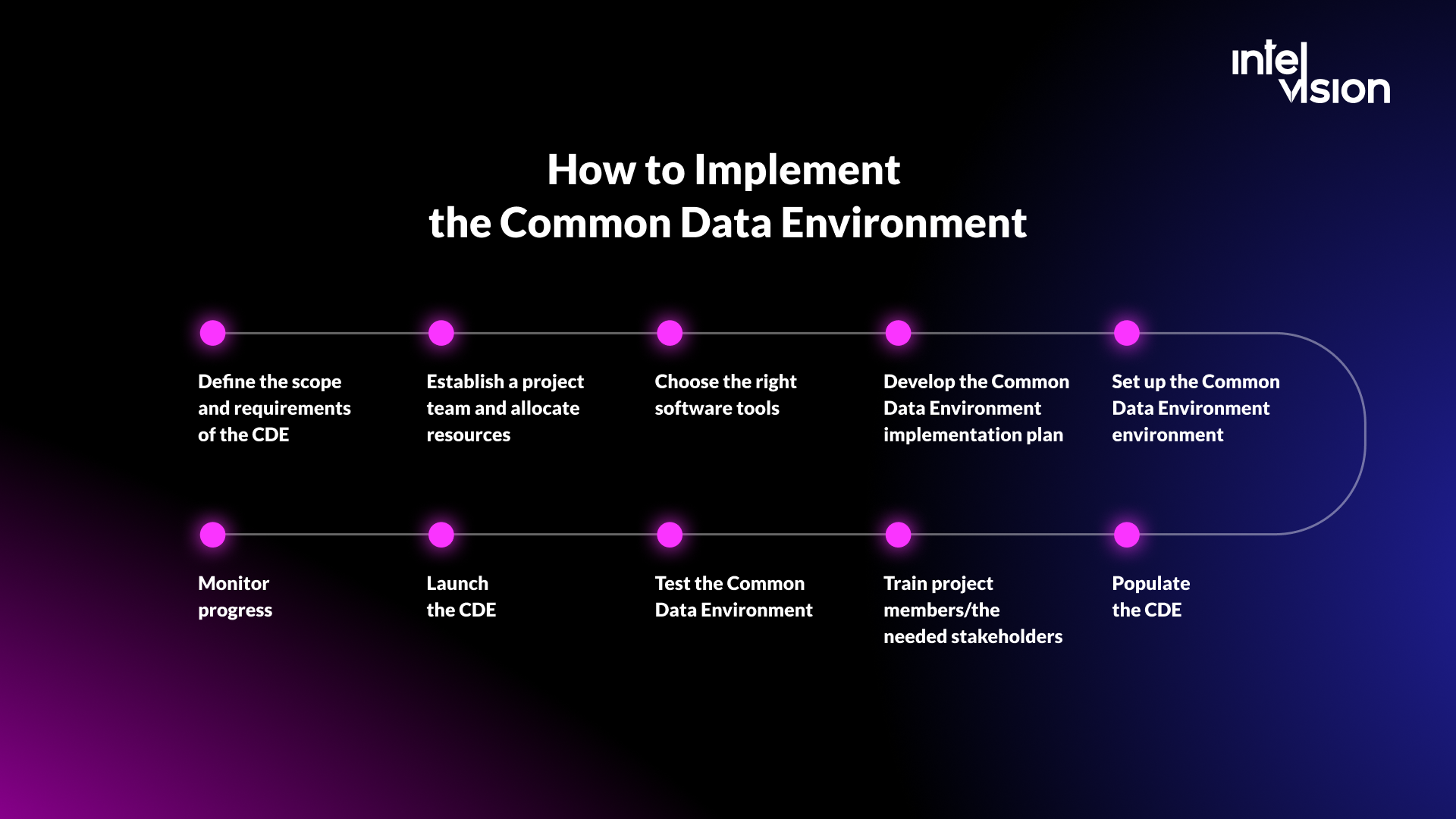
A CDE implementation succeeds or fails on preparation, not on the software. This is the sequence we recommend:
- Define the scope and requirements. Decide which projects, parties and types of information the CDE covers. Write down what information must be delivered, in which format, by whom and when.
- Appoint owners and allocate resources. Name an information manager, the people who configure the system and the people who approve information. Budget for licenses, setup, integrations and training.
- Agree the information standard. Naming convention, metadata fields, status codes, classification system and accepted file formats (for example IFC for models and BCF for issues).
- Choose the software. Shortlist two or three products and test them with your real files and real partners. Check the four-state workflow, open formats, APIs, full export, data residency and the pricing model.
- Design the setup. Container structure, templates, permissions per role and approval routes. Keep it as simple as the project allows.
- Integrate with existing systems. Connect ERP, cost management, scheduling and your identity provider, so people do not keep a second copy of the same data.
- Populate the CDE. Migrate only current, needed information, and fix names and metadata on the way in.
- Train every party. Short, role-based sessions: designers, site teams, subcontractors and the client each need different things.
- Pilot on one project. Test the state transitions, permissions, mobile use on site and the export, then fix what breaks.
- Launch, support and measure. Track a few numbers: share of containers with complete metadata, approval cycle time, open issues by age and rework traced to outdated information.
Common CDE mistakes to avoid
- Using the CDE as a file server. Folders without states, metadata and approval routes give you storage, not control.
- Letting email stay the real channel. If the approved drawing still travels as an attachment, the CDE is a copy and nobody trusts it.
- Not enforcing naming at upload. Fixing names later costs far more than rejecting a badly named file on day one.
- Permissions that are too open or too closed. Too open, and drafts leak into construction. Too closed, and people share files outside the system.
- No exit plan. Confirm before signing that you can export every container with its metadata and history in usable formats.
- Two CDEs without an exchange process. Client and contractor platforms do not sync on their own. Agree who publishes what, where and when.
- Leaving out the subcontractors. The people on site produce much of the information. If the mobile experience is poor, they will not use it.
- Measuring logins instead of outcomes. Track approval times, open issues and rework, not how many people signed in.
How AI changes the common data environment
CDE vendors are adding AI. Bentley lists AI-assisted search that summarizes files and AI-based media indexing in ProjectWise, and Thinkproject describes embedded AI on a unified asset data layer. The useful applications are practical: finding the right document in a project with tens of thousands of files, summarizing a long specification, checking metadata at upload and drafting answers to RFIs from published information.
AI is only as reliable as the CDE's statuses. A model that retrieves a work-in-progress drawing will give a confident wrong answer. Three rules keep AI on the right side of that line:
- Retrieve only from shared and published information, unless the user is the author.
- Cite the container and revision in every answer, so a person can check the source in one click.
- Keep human sign-off for anything with contractual or legal weight.
We applied the same principles for a German construction project management consultancy whose engineers spent 30 to 40% of their billable capacity on administration across three disconnected systems. The roadmap we designed starts with read-only API connections across the three systems, uses deterministic checks where money is counted, and adds a locally hosted retrieval-augmented AI that drafts legally cited responses, with no output committed without a project leader's sign-off. The roadmap's total value is modelled at €4.19M. If you are planning something similar, our page on RAG and knowledge systems explains how we approach it.
Visoplan case study: team extension for a construction collaboration platform
We are proud to share the results of our team extension services for Visoplan, a German web platform that improves collaboration and advances digitization in the construction industry.
Visoplan faced three challenges. Skilled developers who could handle a complex architecture were hard to find. The time frame was tight, with pressure to ship new features without delay. And construction's scattered tools meant the system had to integrate multiple plugins, handle many file types and unify 3D models into one framework.
We started with one engineer in July 2021 and scaled to a dedicated team of five: one full-stack developer, one back-end developer, two front-end developers and a QA engineer, adding a senior QA specialist when more testing capacity was needed. Alongside engineering, we provided consulting, project management and architectural support. The team works with React, C#, ASP.NET Core, Razor Pages, .NET, MongoDB and OData, with CI/CD in Azure DevOps and hosting on Azure Web Apps.
The features are what a construction collaboration platform needs: a BIM viewer for 3D models, plugin integrations with ArchiCAD, Navisworks and Revit, and management of issues, tenants, users, permissions and versions. The published results include 50% lower development costs, 40% faster time to market and more than five product-scale features released.
"The team at Intelvision leveraged their technical expertise and provided us with the required solution. They established a smooth workflow through effective communication and project management skills."
Boris Goldshteyn, CEO of Visoplan
Working with Intelvision gave Visoplan three things: the flexibility to add team members and release those no longer needed, experienced developers who understood the domain, and engineering, consulting and project management from one partner.
In a nutshell
The future of construction is data-driven, and the common data environment is where that data becomes reliable. Get the workflow right first: four states, clear naming, defined approvals and an agreed exchange with every party. Then choose the software that enforces it, connect it to the systems the rest of your business runs on, and measure whether rework and approval times actually go down.
Firms that do this well find that the CDE becomes more than a document store. It becomes the foundation for analytics, for operations after handover and for AI that answers from approved information. For a wider view of turning project data into an advantage, read our guide to construction data management.
Building or extending a CDE, or connecting one to your ERP and cost systems? Contact us and describe your workflow. We will tell you plainly whether you need a product, an integration or a team.
Sources
- FMI and Autodesk: Harnessing the Data Advantage in Construction
- Wikipedia: ISO 19650
- BIM Deutschland: Common Data Environment
- BIM Deutschland: BIM in federal highway construction
- buildingSMART: OpenCDE API repository
- buildingSMART: Documents API
- IMI Framework (BSI and nima)
- Trimble Connect
- Bentley ProjectWise
- Procore pricing
- Thinkproject
- Dalux
Read Intelvision often? Add us as a preferred source in Google Search.
Add to preferred sources