Cloud App Development: The 2026 Guide
What's new: New cloud market and cost data, current examples, sections on architecture, build and run costs, EU rules, AI and common mistakes, a checklist and an FAQ; outdated statistics removed.
Summarize with AI
Read summarized version with AI
- Cloud infrastructure revenue reached $143.4 billion in Q2 2026, up 43% year on year, with generative AI as the main driver, according to analyst firm SRG.
- Cost (85%) and security (82%) are the top cloud challenges in Flexera's 2026 survey, and respondents estimate 29% of IaaS and PaaS spend is wasted, so design cost and security in from day one.
- Estimate build cost as team size times duration times rate, and budget separately for run cost: compute, databases, egress, observability and AI usage.
- European rules now shape architecture: GDPR, NIS2 and DORA for regulated customers, and the EU Data Act, under which providers can no longer charge customers for switching, including the data egress it involves, from 12 January 2027.
- Start with a modular app on managed services, set up CI/CD and infrastructure as code first, and test load, security and backup restores before launch.
Much of the software built today runs in the cloud, and the market behind it is still accelerating. Analyst firm SRG put cloud infrastructure services revenue at $143.4 billion in the second quarter of 2026, up 43% year on year, the highest growth rate in eight years, with trailing twelve-month revenue at $500 billion. Generative AI is the main driver: GenAI-specific cloud services grew 165% in a year.
Growth does not mean every cloud project goes well. In Flexera's 2026 State of the Cloud report, 85% of organizations named cost as their top cloud challenge and 82% named security, and respondents estimated that 29% of their IaaS and PaaS spend is wasted. Cloud app development gives you scalability, speed and access to managed services, but only if architecture, cost and security are designed in from the start.
This guide explains what a cloud-based app is, the service and deployment models to choose from, the architecture behind it, what it costs to build and run, the European rules that now shape it, and a step-by-step process for building one in 2026.
What is a cloud-based app?
A cloud-based application is software whose processing, data storage and business logic run on remote infrastructure operated by a cloud provider, while users reach it through a browser, a mobile app or an API. The device in the user's hand is mostly an interface; the work happens in the cloud.
Good cloud apps do not stop working the moment the connection drops. Many store data locally and let users keep working offline, then synchronize automatically once they are back online. Field service apps, order-taking tools for sales reps and construction site apps are typical examples where offline mode is a requirement, not a feature.
It helps to separate three terms that are often mixed up:
- Web app: software accessed through a browser. It may run on a single server in a data center or in the cloud.
- Cloud-hosted app: an existing application moved onto cloud virtual machines with few changes ("lift and shift"). It gets the provider's hardware but few of the cloud's other benefits.
- Cloud-native app: software designed for the cloud from the start, using managed databases, containers or serverless functions, automated scaling and infrastructure defined as code. This is where most of the cost and speed advantages come from.
The practical benefit is that companies rent the computing power, storage and managed services they need instead of buying and maintaining their own infrastructure, and they can change that mix as the product grows.
Benefits of a cloud-based application
The benefits are real, but each comes with a condition. This is what the cloud gives you and what it takes to get it.
- Cost efficiency. You pay for what you use instead of buying hardware for peak load. The condition: someone has to watch usage. With 29% of IaaS and PaaS spend estimated as wasted in the Flexera survey, pay-as-you-go only saves money when idle resources are switched off and environments are sized to real demand.
- Scalability. Managed services and auto-scaling let the same application serve a hundred users or a hundred thousand. The condition: the application must be built to scale out, with stateless services and a database that can handle the load.
- Reliability. Cloud providers run multiple data centers per region, so you can design for failover and automated backups. The condition: you have to configure it. Backups that were never restored in a test are a hope, not a plan.
- Security. The large providers invest more in physical and infrastructure security than most companies could. The condition: under the shared responsibility model, securing your data, identities and configuration is still your job.
- Speed of delivery. Managed databases, queues, identity services and CI/CD pipelines remove months of infrastructure work, so small teams can ship production software quickly.
- Access to AI services. Speech-to-text, document processing and large language models are available as managed services, which makes AI features practical for products that could never train their own models.
Types of cloud-based application services
Two choices shape every cloud app: where it runs (the deployment model) and how much of the stack you manage yourself (the service model).
Deployment models
- Public cloud. Infrastructure run by a third-party provider and shared by many customers, paid on a pay-as-you-go basis. It offers the widest choice of managed services and the fastest start.
- Private cloud. Infrastructure dedicated to one organization, on its own premises or hosted. It suits companies that handle very sensitive data or need full control, at a higher cost and with more operational work.
- Hybrid cloud. A combination of private infrastructure and public cloud. It is now the most common setup: Flexera reports that 73% of organizations run hybrid cloud estates.
- Multi-cloud. Using more than one public provider, for resilience, regulatory reasons or to use the best service from each. It adds complexity, so it should be a decision, not an accident.
Service models
| Model | What the provider manages | What you manage | Examples | Best for |
|---|---|---|---|---|
| IaaS | Hardware, networking, virtualization | Operating systems, runtime, application, data | Amazon EC2, Azure Virtual Machines, Google Compute Engine | Full control, legacy workloads, special requirements |
| PaaS | Infrastructure plus runtime and middleware | Application code and data | Azure App Service, Google App Engine, Heroku, OpenShift | Web apps and APIs without server management |
| Containers | Managed cluster control plane | Container images, deployments, scaling rules | Amazon EKS, Azure Kubernetes Service, Google Kubernetes Engine | Products with many services and portable workloads |
| Serverless | Everything except your functions | Function code and configuration | AWS Lambda, Azure Functions, Google Cloud Run | Event-driven and spiky workloads |
| SaaS | The whole application | Your users and your data | Microsoft 365, Google Workspace, Salesforce, Slack, Zoom | Standard business functions you should not build |
Software as a Service (SaaS)
Much business software is now bought as SaaS: it runs on the vendor's infrastructure, updates arrive automatically and customers pay a subscription instead of buying licences and servers. If you are building a product to sell, you are most likely building SaaS, which brings its own design questions: multi-tenancy, per-customer configuration, billing and data isolation. Our article on the advantages of SaaS development covers that side in more detail.
Platform as a Service (PaaS)
PaaS gives developers a ready runtime, database and deployment pipeline, so they write application code and leave servers to the provider. For most new web applications and APIs it is the fastest, cheapest starting point, and it is easy to move parts of the system to containers later if the product outgrows it.
Infrastructure as a Service (IaaS)
IaaS provides virtual machines, storage and networking. You manage everything above that, which gives you the most control and the most work. It makes sense for workloads with special requirements, licensed software tied to servers, or as a first step in migrating legacy systems before modernizing them.
Examples of cloud applications
Many services you use every day are cloud applications:
- Miro: an online whiteboard where teams draw diagrams, add documents and notes, and work together in real time.
- Figma: a browser-based design tool in which designers, product managers and developers create interface prototypes together.
- Netflix: a streaming service that, by its own account, reaches over half a billion people in more than 190 countries.
- Spotify: a music and podcast streaming service that reports 788 million users and 306 million subscribers in 184 markets.
Cloud apps are not only consumer products. Some examples from Intelvision's published projects show the range in business software:
- AVIDENO, a Swiss cloud-based no-code platform for digitizing company-specific business processes, with a configurable multilingual data model, event-driven process automation, a REST API, multitenancy and custom workspaces.
- A European renewable energy operator, whose smart monitoring and alerting system for solar and wind farms runs on Azure with MQTT and TimescaleDB. The published results: 38% less downtime within six months and 60% fewer on-site visits.
- A licensed digital payments company in the DACH region, whose real-time payments dashboard on Azure, Kafka and TimescaleDB cut audit report generation from two days to minutes.
Have an idea for a cloud product but lack the team to build it? Intelvision's software development teams take products from discovery to production, with the architecture, team and delivery under one contract.
Components of a cloud-native app architecture
There are many ways to build a cloud application, but most share the same building blocks. You will not need all of them on day one; a well-structured modular application on a PaaS often beats a premature microservices setup.
- Services and APIs: where the application's logic runs and user requests are handled. Components talk to each other and to clients through APIs, so they can change independently.
- Storage: managed relational databases, document stores, object storage for files, and caches. Pick the storage for the access pattern, not for fashion.
- Data management and messaging: queues and event streams (for example Kafka or a managed message bus) decouple services, absorb load spikes and make processes such as payments or notifications reliable.
- Identity and access: a managed identity provider for users, and least-privilege roles for services and staff. Get identities and permissions right before you worry about exotic exploits.
- Infrastructure as code and CI/CD: environments defined in code and deployed by pipelines, so test and production match and every change is reviewed and repeatable.
- Observability: logs, metrics, traces and alerts that tell you something is wrong before customers do, plus cost tags so every euro of spend has an owner.
- Security controls: encryption at rest and in transit, secrets management, network rules and regular patching. Regulated sectors such as banking, healthcare and retail add their own requirements for encryption, access control and audit trails.
- AI components (where needed): calls to managed AI models, vector search for retrieval-augmented generation, and the guardrails, logging and cost limits around them.
Choosing a cloud platform and tech stack
The platform and stack are among the first decisions in a cloud project and among the hardest to reverse. The wrong choice slows the team, inflates the bill and makes hiring harder.
The big three, and the rest
In SRG's figures for the second quarter of 2026, Amazon held 28% of the worldwide cloud infrastructure market, Microsoft 20% and Google 15%, together 67%. All three cover the needs of most products. In practice the choice often comes down to:
- Existing skills and contracts: a .NET team with Microsoft 365 and Entra ID will usually be fastest on Azure; a team with deep AWS experience on AWS.
- Specific services: data and analytics, AI models, or industry services you need.
- Data residency and sovereignty: all three run EU regions, and AWS now markets an AWS European Sovereign Cloud, which AWS describes as an independent cloud for Europe designed to help customers meet their sovereignty needs.
- AI infrastructure: GPU-focused "neocloud" providers such as CoreWeave and Nebius are among the fastest-growing in SRG's data, which matters if you train or host your own models.
Application stack
There is no single right stack. Across Intelvision's published cloud projects, teams have used .NET and Blazor, Angular, React, Next.js and Node.js on the front and back end, Python and Django for data-heavy services, PostgreSQL and TimescaleDB for storage, Kafka and MQTT for messaging, and both Azure and AWS for hosting. Choose a stack your team can hire for and support for years, and that fits your platform's managed services.
How much does cloud app development cost?
A cloud app has two cost lines, and buyers often budget only for the first: the cost to build it and the cost to run it.
Build cost
Build cost is mostly people: team size times duration times rate. A simple way to estimate:
- Define the first release: the smallest set of features that delivers value to real users.
- Estimate the team and duration, for example two engineers, a QA engineer and a part-time product or project manager for three months.
- Multiply by hours and rates. Accelerance's 2026 rate trends report puts European outsourcing rates at $31 to $39 an hour for juniors and $64 to $76 for seniors.
- Add 15% to 25% contingency for unknowns, and more if the requirements are still moving.
As an illustration only: four people for three months at an assumed 160 hours a month is 1,920 hours. At junior rates that is about $60,000 to $75,000; if every hour were billed at senior rates, about $123,000 to $146,000. Real teams mix seniorities, so most first releases of this size fall between those bounds, and integration-heavy or regulated products cost more.
Published examples help calibrate. Intelvision's case studies include MVPs built and released in three months by small dedicated teams, such as GiFiT's QR-based gifting platform on Azure, and a German EdTech platform where a three-engineer team merged 5+ repositories into one monorepo in about a month, rebuilt the checkout in Next.js in about four weeks and delivered an AI speech-to-text feature in two to three weeks.
Run cost
Running costs grow with users and features. The main drivers:
- Compute: app services, containers or functions, often the largest line.
- Managed databases and storage, including backups and replicas.
- Data transfer: egress between regions and to the internet.
- Observability: logging and monitoring volumes add up quickly.
- AI usage: tokens, model calls and GPU time, now a fast-growing line of its own.
- Third-party SaaS: identity, email, search, analytics and support tools.
Cost management has become a discipline in its own right. The FinOps Foundation's State of FinOps 2026, based on 1,192 respondents representing more than $83 billion in annual cloud spend, found that 98% of FinOps practices now manage AI spend, up from 63% in 2025, and that workload optimization and waste reduction remain the top priority. In Flexera's survey, 17% of respondents exceeded their public cloud budget in the past year.
Architecture and hosting choices move the bill as much as discounts do. When Intelvision's team took over Fortuna, a regional advertising platform, it audited the codebase and infrastructure, introduced a CI/CD pipeline and migrated the app to a more efficient hosting environment; the published result is a 35% infrastructure cost reduction and a 60% improvement in platform stability and usability.
Challenges of cloud-based app development
Cloud development is technically demanding. Knowing the pitfalls in advance is cheaper than discovering them in production.
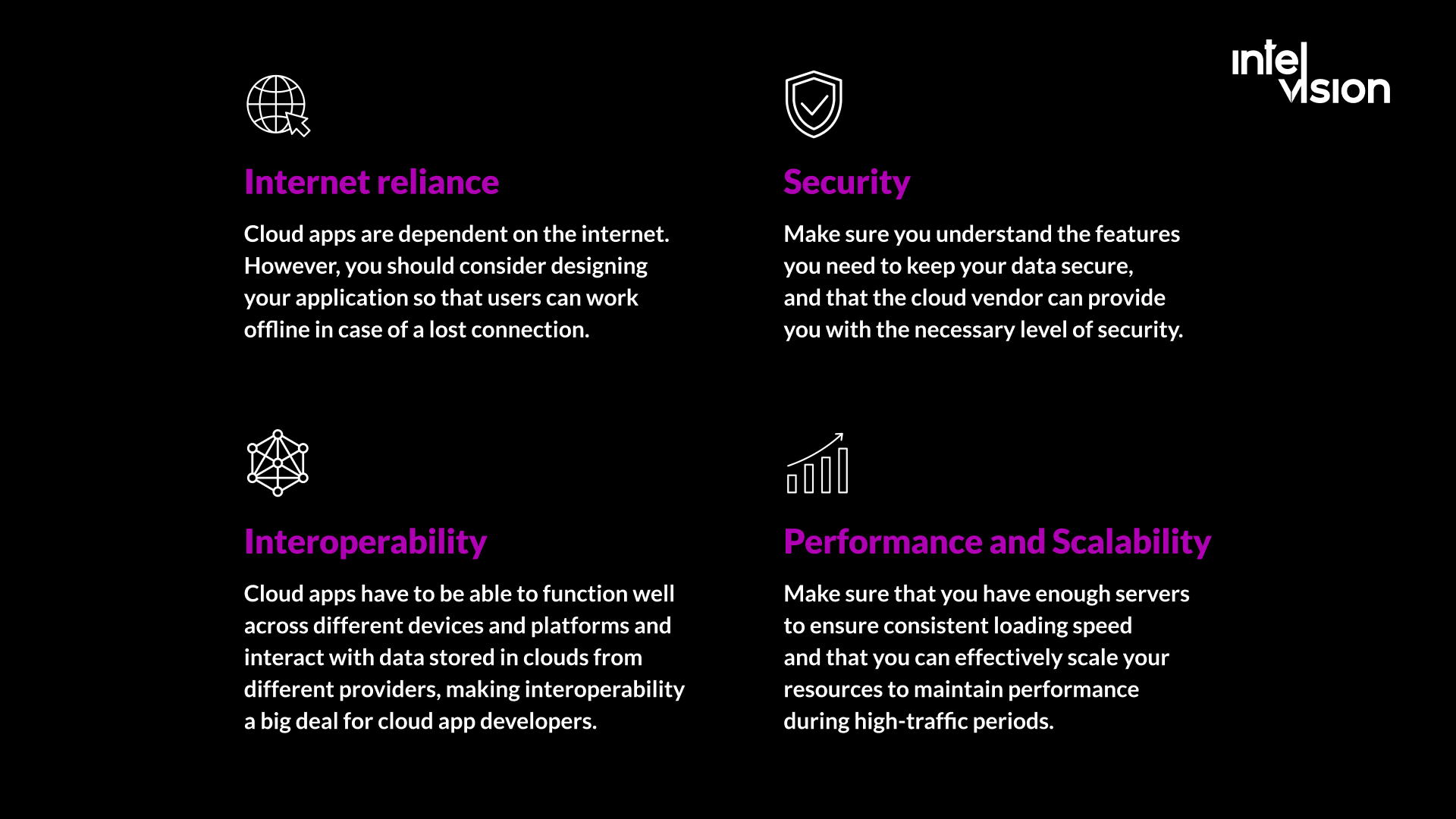
Internet reliance
Cloud apps depend on connectivity. If users work in basements, on construction sites, in warehouses or on the road, design offline mode and conflict resolution from the start; adding them later is expensive.
Security
Know which security features you need and which the provider delivers. Many incidents come from misconfiguration on the customer side: public storage buckets, over-broad permissions, leaked keys. Security reviews belong in every sprint, not at the end.
Interoperability and lock-in
Cloud apps must work across devices and platforms and often exchange data with services from different providers. The deeper you use one provider's proprietary services, the harder it is to move. Accept lock-in where it buys real speed, and keep your data in formats and systems you could export.
Performance and scalability
Make sure the application can scale out under peak load and that latency stays acceptable for users far from your region. Load testing before launch is cheaper than an outage during your biggest campaign.
Cost control
Pay-as-you-go cuts both ways. Without budgets, alerts and tagging, test environments run all weekend and forgotten resources stay on the bill for months.
Skills
Cloud-native development needs engineers who understand distributed systems, infrastructure as code, security and cost, not only application code. If your team lacks that experience, bring in cloud engineers for the architecture and setup, and let them coach the team while they build.
Security and compliance rules for cloud apps in Europe
For European companies, regulation now shapes cloud architecture as much as technology does. This is orientation for product and engineering leads, not legal advice.
- Shared responsibility. AWS describes the split as security "of" the cloud versus security "in" the cloud: the provider secures the infrastructure, and you secure what you put on it. On a virtual machine that includes the guest operating system, patches and firewall rules; on managed services it still includes your data, encryption settings and access permissions, as set out in the AWS shared responsibility model.
- GDPR. If your app processes personal data of people in the EU, you need a data processing agreement with your cloud provider, a lawful basis, a record of where data is stored and who can access it, and safeguards for transfers outside the EU.
- EU Data Act. The Data Act became applicable on 12 September 2025. For cloud customers its most practical effect is on switching: providers must remove obstacles to switching, PaaS and SaaS providers must offer open interfaces and data export in machine-readable formats, and from 12 January 2027 providers can no longer charge for switching, including the data egress it involves. That makes a realistic exit plan easier to write into your architecture.
- NIS2. The NIS2 Directive covers 18 critical sectors, including energy, transport, health, finance and digital infrastructure. Medium-sized and large entities in them must take cybersecurity risk-management measures and report significant incidents, and management can be held accountable. If your customers are in these sectors, they will ask how your cloud app meets these requirements.
- DORA. For banks, insurers, investment firms and other financial entities, the Digital Operational Resilience Act has applied since 17 January 2025, including rules on ICT third-party risk and contract terms with ICT providers. Fintech products selling to these customers need to support those requirements.
How to build a cloud-based application: step by step
Cloud app projects vary, but a reliable process looks similar whether you build in-house or with a cloud app development company. These are the steps we recommend.
1. Market and requirements analysis
Start with the business goal and the users' pain points. Research competitors, their features and business models, and define what your product must do better. Decide what the first release must include and what can wait. If the business case is not yet clear, settle it before anything is built.
2. Architecture and service model
Decide the deployment model, the service model (PaaS, containers, serverless or a mix) and the architecture: a modular monolith for most first releases, separate services where parts of the system scale or change independently. Write the main decisions down with their reasons, so the next engineer understands why.
3. Data, security and compliance design
Map what data you hold, where it lives, who can access it and which rules apply. Choose regions, encryption, identity and backup policies now. Retrofitting data residency or tenant isolation later is one of the most expensive changes in cloud projects.
4. Design the user experience
Designers prepare the interface and test it with real users while the platform is set up. Clients should be able to review designs, comment and suggest improvements before development starts on each feature.
5. Build with CI/CD and infrastructure as code
Set up the delivery pipeline before the first feature: automated builds, tests and deployments, with environments defined in code. Then build in short iterations and show working software regularly. Stay involved: the best results come from close collaboration with the team at every step.
6. Test for function, load and security
Beyond functional tests, run load tests against expected peak traffic, security scans of code and dependencies, and a restore test of your backups. Test offline behavior on real devices if users need it.
7. Deploy and publish
Web applications go live through the pipeline, ideally with gradual rollouts and quick rollback. Mobile apps must follow App Store and Google Play guidelines; Apple states that App Review typically handles at least 50% of submissions in less than 24 hours and 90% in less than 48 hours, and incomplete submissions take longer.
8. Operate, measure and optimize
After launch, watch reliability, performance, user behavior and cost. Review the cloud bill monthly, remove idle resources and right-size services. The product, and the architecture, will keep changing as you learn.
How AI changes cloud app development
AI affects cloud apps in two ways: what you build, and how you build it.
AI features inside the product
Managed AI services make features such as document extraction, speech-to-text, semantic search and drafted replies practical for ordinary products. They also add new design work: where the data is processed, how prompts and outputs are logged, how answers are checked, and how token costs are capped. SRG's figure of 165% annual growth in GenAI-specific cloud services shows how fast this is moving. If customer data cannot leave your environment, private AI deployment on your own servers or a private cloud is an option.
AI-assisted development
AI coding tools are now standard. In Google's 2025 DORA report, 90% of respondents used AI at work and more than 80% believed it increased their productivity, while 30% reported little or no trust in AI-generated code. DORA found AI adoption linked to higher delivery throughput but still to lower delivery stability, because it increases the volume of change faster than testing catches up. Stack Overflow's 2026 Developer Survey found that 73% of developers using AI assistants or agents use them daily.
For a cloud project the conclusion is practical: AI speeds up writing code, so the bottlenecks move to architecture, review, automated testing and infrastructure discipline. Invest there, and agree which AI tools may see your code and data.
Common mistakes in cloud app projects
- Lift and shift, then stop. Moving servers to the cloud unchanged often costs more than before. Plan the modernization steps that follow the move.
- Microservices too early. A three-person team running fifteen services spends its time on plumbing. Start modular and split when there is a reason.
- No cost ownership. Without tags, budgets and a monthly review, spend drifts. Make cost a sprint-level metric like performance.
- Security at the end. Permissions, secrets and network rules set up in a hurry before launch are where breaches start.
- No exit plan. Know how you would export your data and move key services, even if you never do.
- Ignoring offline and latency. Users on poor connections judge the whole product by its worst screen.
- Untested backups. A backup you have never restored is not a backup.
Cloud app readiness checklist
- The first release scope and its business goal are written down.
- Deployment and service models are chosen, with reasons recorded.
- Data inventory, regions, encryption and access model are defined.
- GDPR, and where relevant NIS2, DORA or sector rules, are mapped to requirements.
- CI/CD and infrastructure as code exist before feature work starts.
- Logging, monitoring, alerting and cost tags are in place.
- Load, security and restore tests are planned before launch.
- Budgets and cost alerts are set; someone owns the cloud bill.
- An AI tool policy covers what code and data may be shared.
- Data export and exit options are documented.
How Intelvision can help with cloud-based application development
Intelvision builds and modernizes software, implements AI in real business workflows and places senior engineers in client teams, and has delivered 100+ software products. For cloud applications, that covers:
- New products and platforms: discovery, architecture, team and delivery under one contract, from MVP to production.
- Migration and modernization: moving legacy systems to the cloud in phases while the product keeps shipping, as in the German EdTech platform whose checkout moved from WordPress/WooCommerce to Next.js in about four weeks.
- Cost and stability fixes: audits and infrastructure changes such as Fortuna's 35% infrastructure cost reduction.
- Senior cloud engineers inside your team: for architecture, DevOps or data work when you need the skills rather than a whole project team.
Industry context matters too. In energy, for example, our article on cloud migration in the energy industry covers the specific constraints of that sector.
Bottom line
Cloud services give companies lower upfront costs, global availability, scalability and access to managed AI, and the market keeps growing at its fastest pace in years. At the same time, cloud application development is more demanding than classic web or desktop development: API integrations, data architecture, security configuration, cost control and European regulation all need deliberate decisions.
That is why the choice of partner and architecture matters more than the choice of provider. Start with a clear first release, design data, security and cost in from day one, and keep the ability to change course.
Planning a cloud application or a migration? Contact us to discuss the project, estimate the first release and decide what should happen first.
Sources
- Synergy Research Group: Q2 Cloud Market Passes $143 Billion; Highest Growth Rate in Eight Years (July 2026)
- Flexera: 2026 State of the Cloud Report
- FinOps Foundation: State of FinOps 2026
- Accelerance: 2026 outsourcing rate trends in Asia, Europe and LatAm (November 2025)
- AWS: Shared Responsibility Model
- AWS: Digital sovereignty in Europe
- European Commission: Data Act
- European Commission: Data Act explained
- European Commission: NIS2 Directive
- EIOPA: Digital Operational Resilience Act (DORA)
- Apple Developer: App Review
- Netflix: About Netflix
- Spotify: Company info
- Google Cloud: Announcing the 2025 DORA report (September 2025)
- Stack Overflow: The results of the 2026 Developer Survey are here
Read Intelvision often? Add us as a preferred source in Google Search.
Add to preferred sources