What Are the Benefits of Using CRM for Your Business
What's new: Unsourced figures replaced with cited research, plus current CRM prices, AI and agents, build vs buy, GDPR and backup points, a rollout plan, published Intelvision CRM work and an FAQ.
Summarize with AI
Read summarized version with AI
- A CRM keeps every customer interaction in one record so sales, service and marketing work from the same history and nothing gets lost when people leave.
- Retention pays: acquiring a customer can cost 5 to 25 times more than keeping one, and Bain found a 5% retention gain can raise profits by 25% to 95%.
- In October 2026 list prices run from free tiers (HubSpot, Zoho) to $25 to $550 per user per month for Salesforce; implementation, data cleanup and integrations often cost more than licences.
- AI features and agents are now built into the main CRMs, but they amplify the quality of your data, so clean data and independent backups come first.
- Implement from a money problem: define what the CRM must earn or save, pilot with one team and measure that number monthly.
Winning a new customer costs far more than keeping one you already have. Harvard Business Review summarizes the research this way: depending on the study and the industry, acquiring a new customer is anywhere from five to 25 times more expensive than retaining an existing one, and Frederick Reichheld of Bain & Company found that a 5% increase in customer retention can raise profits by 25% to 95%. A business cannot grow indefinitely by adding new customers while the existing ones quietly leave. It is a leaky bucket that never fills, however much you pour in.
Customer relationship management (CRM) software exists to fix the bucket. This guide explains what a CRM is in 2026, the benefits it brings, two worked examples of how CRM data turns into revenue, what the main platforms cost today, how AI is changing them, when to buy and when to build, and how to implement a CRM without the frustration that sinks many projects.
What is CRM and why is it important
Customer relationship management is the technology and practice for managing all your company's relationships and interactions with customers and prospects. A CRM system keeps every contact, conversation, deal, order, ticket and campaign response in one record, so that anyone who talks to a customer knows what happened before. It gives you insight into your audience, from contact details and preferences to sales history and service issues. A retailer, for example, can see which channel and device each customer uses and contact them where and when an offer is most likely to land.
The main goal of a CRM strategy is to create a steady flow of new customers and keep existing ones engaged. Its everyday function is to help managers plan sales, run deals transparently and sell effectively. It also includes tools aimed at returning and retaining customers: with analytics, you can see which customers are likely to leave and act before they do.
In 2026 a CRM usually covers three layers:
- Operational CRM: contact and account records, pipelines, quotes, tasks, email and call logging, service tickets, marketing automation.
- Analytical CRM: reports, dashboards, forecasting, segmentation and churn analysis.
- AI assistance: drafting emails, summarizing calls, scoring leads and, increasingly, agents that carry out routine tasks. Salesforce reports that nine in 10 sales teams use agents or expect to within two years.
Why it matters: without a shared system, customer knowledge lives in inboxes, spreadsheets and the memory of individual salespeople. When one of them leaves, the relationships leave too.
Top benefits of a CRM system for the business
What are the benefits of CRM? These are the ones we see deliver money, not just tidier data:
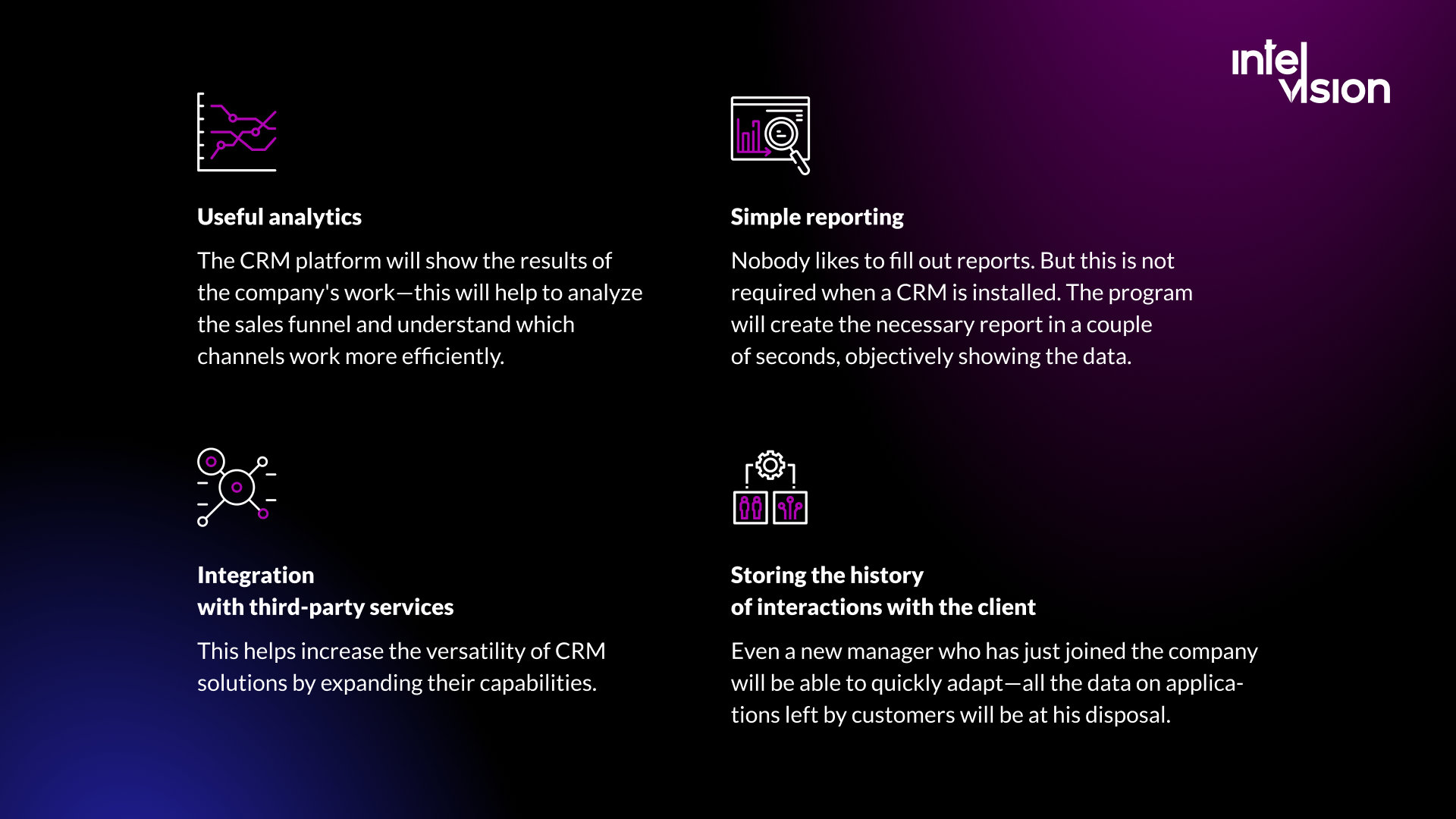
- One customer record for everyone. Sales, service, marketing and finance see the same history. A new manager who has just joined can pick up an account in a day, because every request and conversation is there.
- Pipeline visibility and forecasting. Deals move through defined stages, so leadership can see what will close, when and why deals stall.
- Fewer lost leads. Every inquiry becomes a record with an owner and a next step. Missed calls and forgotten follow-ups turn into tasks with deadlines.
- Retention you can measure. Purchase frequency, renewal dates and service history show which customers are drifting before they cancel.
- Useful analytics. The CRM shows the results of the company's work, which helps you analyze the sales funnel and see which channels perform best.
- Simple reporting. Nobody likes filling out reports. With a CRM in place, the standard reports build themselves from the data people already enter.
- Automation of routine work. Assignment rules, reminders, quote generation, renewal notices and onboarding sequences run without manual effort.
- Integration with other systems. Connected to your website, email, telephony, ERP, accounting and support tools, the CRM becomes the hub rather than another silo.
- Consent and data protection in one place. Marketing consent, contact preferences and deletion requests are recorded against the customer, which makes GDPR obligations easier to meet.
- A foundation for AI. AI features are only as good as the customer data underneath them. A well-kept CRM is what makes AI drafting, scoring and agents useful rather than random.
This list does not cover every advantage; each business finds its own. The test for each one is simple: can you put a number on it?
How CRM helps sell: two examples across industries
With a CRM you get to know your customers, choose a segment and make an offer they are likely to accept. Personal offers work well for developing, retaining and winning back customers. The two examples below are illustrative models: the figures show how the arithmetic works, not results from a specific client.
Supermarket. Strategy: customer development
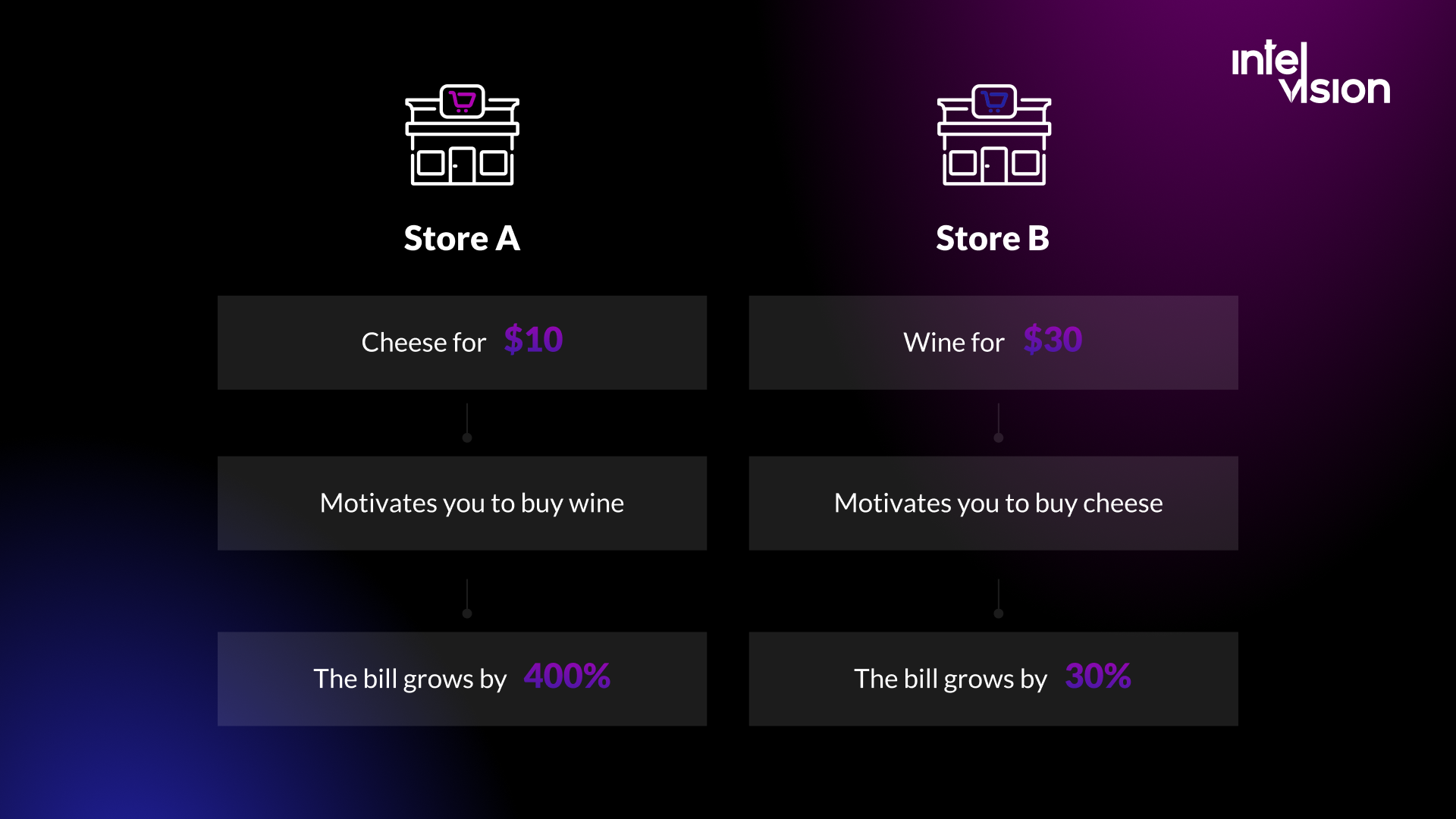
In grocery retail, a customer typically shops at several stores each month, and those stores compete for a share of the basket. Many people buy cheese in one shop and wine in another. The store that gets both earns more.
You work with your buyer database and analyze what customers usually buy and which offers interest them.
You are interested in repeat customers who:
- live or work nearby;
- have a set of favorite products and buy them regularly;
- spend a meaningful share of their budget on food and drinks;
- are more likely to buy when they receive a discount on a favorite product;
- tend to buy other categories once they come in for one.
An example of working with a buyer based on insights from the CRM
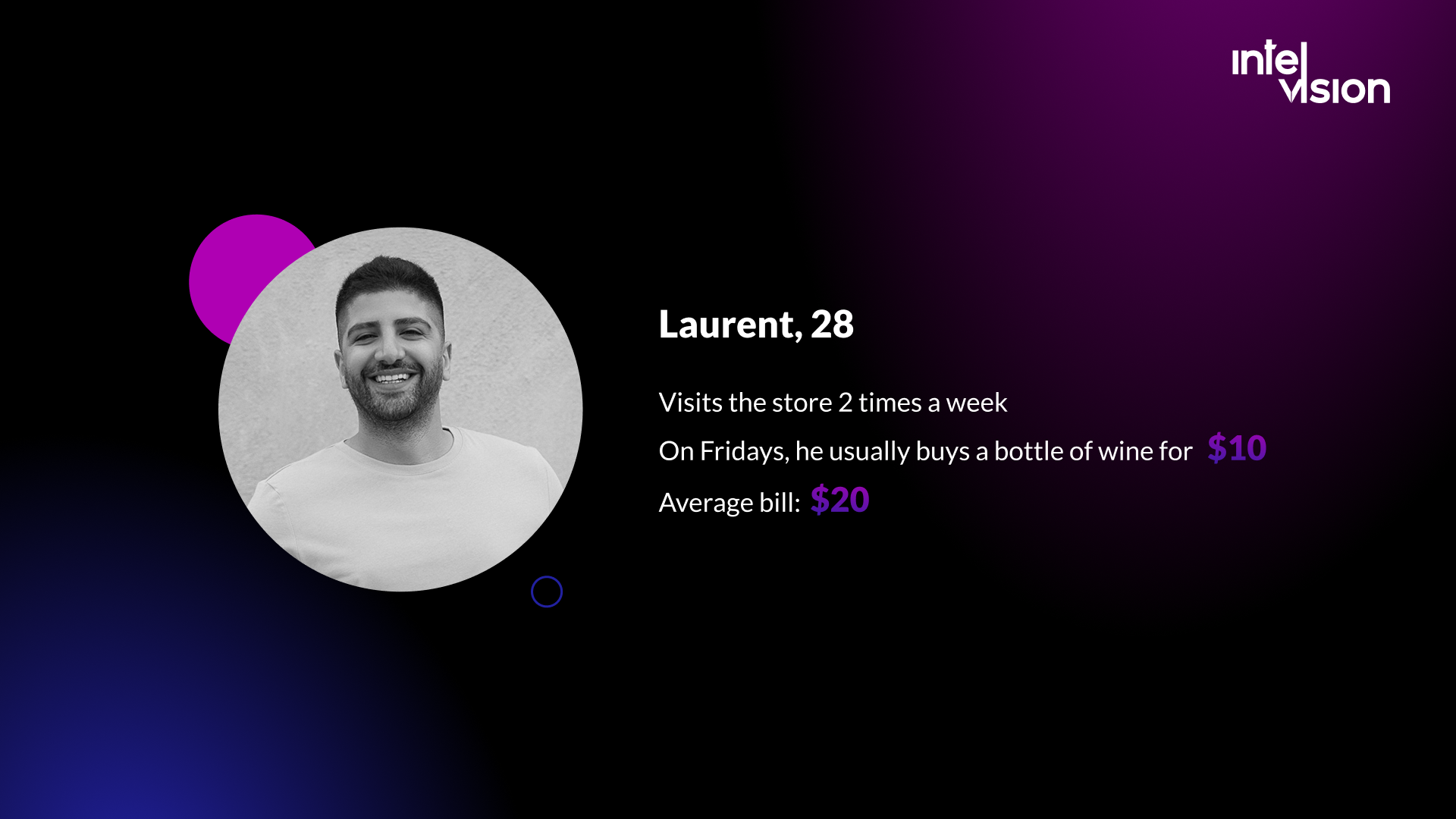
Say a store has 100,000 customers in a "Friday wine drinkers" segment. They probably buy wine more often than the store's data shows, but they buy part of it elsewhere. Send this segment a personal email:
Subject: Discount on your favorite wine
Hello Lauren!
We noticed you bought Pinot Grigio del Veneto in our store last time. Here is a 20% discount on your next purchase of two bottles. We have just brought in a new Italian dry white.
We look forward to seeing you again!
Goodwine
If 5% of the 100,000 customers respond with one purchase worth about $10, that is 5,000 extra sales and roughly $50,000 in revenue from one email, before the discount and product costs.
Clothing store. Strategy: customer retention
The clothing market is highly competitive, and a repeat customer can easily switch to another store. When that happens you lose not only the next purchase but every purchase after it. Keeping a valuable customer is easier and cheaper than winning them back.
The most valuable customers are those who:
- have established preferences in clothing;
- buy either once a year for a large amount in store or monthly for smaller amounts online;
- left their contact details in exchange for a loyalty card;
- face a choice every time they shop: come back to you or try someone else.
An example of working with a buyer based on insights from the CRM
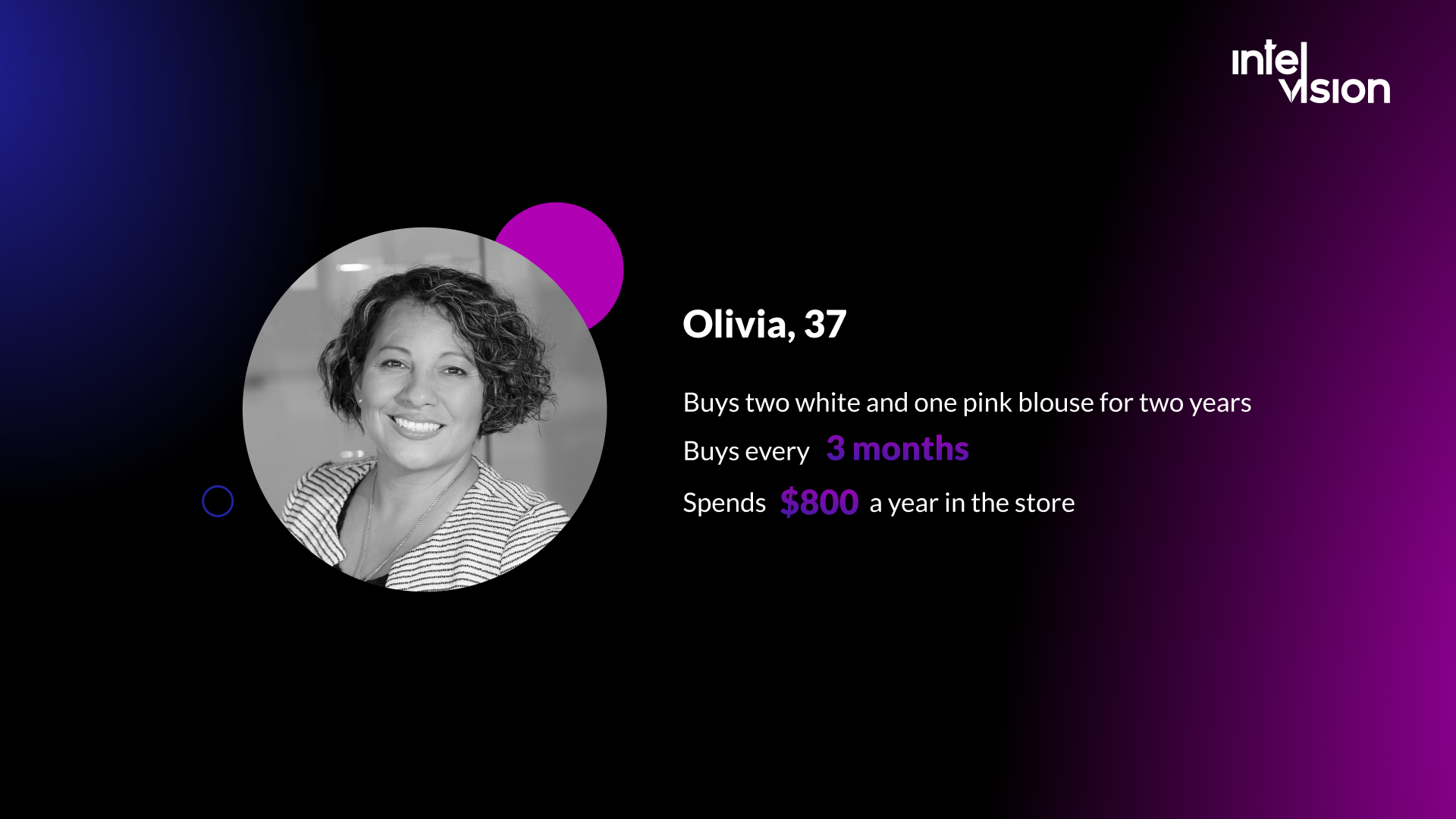
Say the store has 5,000 such customers and loses 10% of them each year. In this model, that churn adds up to about $2.2 million in lost revenue over three years.
For each customer, prepare an individual selection. Offer to save them time by ordering online with free shipping, or book an appointment with a consultant who picks options in advance. Send the offer one to two weeks before their usual purchase date.
Subject: We have already picked some blouses for you
Bonjour Olivia!
We remember you usually refresh your wardrobe in October. We have selected organic cotton blouses in size S in white and pink, the colors you usually choose.
Order online with free delivery, or tell us when you would like to visit and a consultant will have options ready so you do not have to wait.
If 120 to 150 customers respond because the offer fits their needs, and churn falls by three percentage points, the model saves around $672,000 over three years.
Both examples depend on the same thing: clean purchase history, a consent record that allows you to send the email, and a CRM that can build the segment in minutes rather than weeks.
How AI is changing CRM in 2026
Every major CRM now ships AI features, and the pricing pages show how central they have become. Salesforce describes its Core edition as including built-in AI and Agentforce skills, with AI available from Core upward. Microsoft's Dynamics 365 Sales Enterprise includes Copilot and agentic capabilities. HubSpot lists agent tools such as a prospecting agent and a data agent on its CRM pricing page, and Zoho's editions include building AI agents for sales tasks.
The useful applications today are practical:
- Less data entry. Automatic logging of emails, meetings and contacts, plus call summaries that land in the record.
- Drafting. First drafts of follow-ups, proposals and service replies, edited by a person.
- Prioritization. Lead and deal scoring that tells reps where to spend the next hour.
- Agents for routine work. Qualifying inbound leads, updating stages, booking meetings or routing tickets under defined rules.
Two cautions. First, AI amplifies the data it works on: if half your contacts are duplicates and deal stages are guesses, AI scoring will be confidently wrong. The 2025 DORA research on software teams found the same pattern, that AI "amplifies what's already there". Second, agents that write to the CRM can also damage it at scale, which makes independent backups more important, not less. Our workflow automation and agents work starts by proving the data before anything is automated.
What a CRM costs in 2026
List prices for the main platforms, as published on their pricing pages in October 2026, per user per month and billed annually unless noted. Vendors change prices and run promotions often, so check before you budget.
| Platform | Entry | Mid-tier | Upper tiers | Notes |
|---|---|---|---|---|
| HubSpot Sales Hub | Free for up to 2 users; Starter from $7 to $20 depending on billing term | Professional $90 (annual) or $100 (monthly) | Enterprise $150 | One-time onboarding fee of $1,500 for Professional and $3,500 for Enterprise |
| Salesforce Sales Cloud | Starter Suite $25 | Pro Suite $100 | Core $195, Advanced $395, Max $550 | Agentforce and broader AI from Core upward |
| Microsoft Dynamics 365 Sales | Professional $65 | Enterprise $105 | Premium $150 | Copilot included from Enterprise |
| Zoho CRM | Free for up to 3 users | Standard and Professional | Enterprise, Ultimate | Prices vary by currency; up to 34% saving with yearly plans |
Licences are rarely the biggest cost. A realistic first-year budget also includes:
- Implementation: pipeline design, fields, permissions, automation and reports.
- Data migration and cleanup: deduplicating contacts and mapping old records, often the most underestimated item.
- Integrations: website forms, email, telephony, ERP, accounting, e-commerce and support tools.
- Training and adoption: time away from selling while people learn the system.
- Administration: someone who owns the CRM after go-live.
A simple example for a 20-person sales team at list prices: HubSpot Sales Hub Professional at $90 per seat comes to $21,600 a year plus the $1,500 onboarding fee; Dynamics 365 Sales Enterprise at $105 is $25,200; Salesforce Core at $195 is $46,800. If the CRM stops 20 lost orders a week, as in the example further down, compare those figures with the value of those orders, not with zero.
Check whether you need CRM software
CRM solutions are useful wherever profitability depends on how well you manage relationships with customers. They cover four groups of tasks:
- Sales management. Making sure each customer gets the right product or service on time, reducing human error and planning the next steps with each account.
- Marketing management. Automating campaigns, researching the market, analyzing responses, building a database of prospects and shaping offers around their needs.
- Interaction management. Storing and quickly finding every contact, purchase, call and email for each customer.
- Service management. Collecting order details, organizing delivery and payment, and handling support requests in one flow.
In 2022 we suggested that a business with fewer than a thousand customers did not need a CRM, and that companies with more than ten thousand should start. Free tiers have changed that math: HubSpot and Zoho both offer free CRMs for small teams, so the question is no longer the size of your customer base but the complexity of your relationships. Think of a baker who sells the best pastries in town. Standing behind the counter, he knows his regulars and their preferences, and a CRM would add little. But the moment he starts taking wholesale orders from cafés, with delivery schedules, invoices and follow-ups across several staff, he needs one.
You probably need a CRM if two or more of these are true:
- More than one person talks to the same customers.
- Leads come in through several channels and some are never followed up.
- Your forecast is a spreadsheet updated by hand before each management meeting.
- Customer knowledge leaves when a salesperson leaves.
- You cannot say which customers have not bought for six months.
- You need to prove consent before sending marketing emails.
Off-the-shelf, customized or custom-built CRM
Most companies should start with an off-the-shelf CRM and configure it. Custom development makes sense where your process is a competitive advantage that a standard tool would flatten, or where the CRM must connect deeply with systems a standard connector cannot reach.
| Approach | Best when | Trade-offs |
|---|---|---|
| Off-the-shelf, configured | Standard sales and service processes; you want to start in weeks | Per-seat costs grow with the team; you adapt to the vendor's model |
| Off-the-shelf plus custom integrations | The CRM must exchange data with ERP, accounting, field apps or your product | Integrations need ownership, monitoring and maintenance |
| Custom-built CRM or CRM-like tool | Unusual workflows, offline field work, partner ecosystems or a CRM that is part of your product | Higher upfront cost; you own the roadmap and the maintenance |
Three published Intelvision projects show where custom work fits:
- Vaillant needed a CRM-like internal tool to manage field activities and service orders; disconnected tools and a missing link to the CRM accounting system had caused data silos and duplicate entries. A team of four built a mobile and web solution with unified order management, real-time PDF reporting and full CRM system integration in three months.
- Posude, a B2B order-taking app for sales representatives, was built so reps could work without an internet connection and sync data to the CRM once reconnected, with the MVP delivered in three months.
- Kiflo, a partner relationship management platform for SMBs that integrates with CRM and marketing tools, has worked with two Intelvision full-stack developers for three years, with a published 25% faster time to market and 30% cost savings on development. Our guide to partner relationship management explains how PRM extends CRM to partner channels.
How to implement CRM software without the frustration
Implementing a CRM because it is fashionable is a reliable way to make the project fail. The pattern is familiar: an executive sees a feature in a demo, likes it and asks a vendor or developer to add exactly that feature, right away. Nobody has answered three questions:
- Why do we need this feature?
- What will it earn or save, based on our own numbers?
- Why is it more important than everything else?
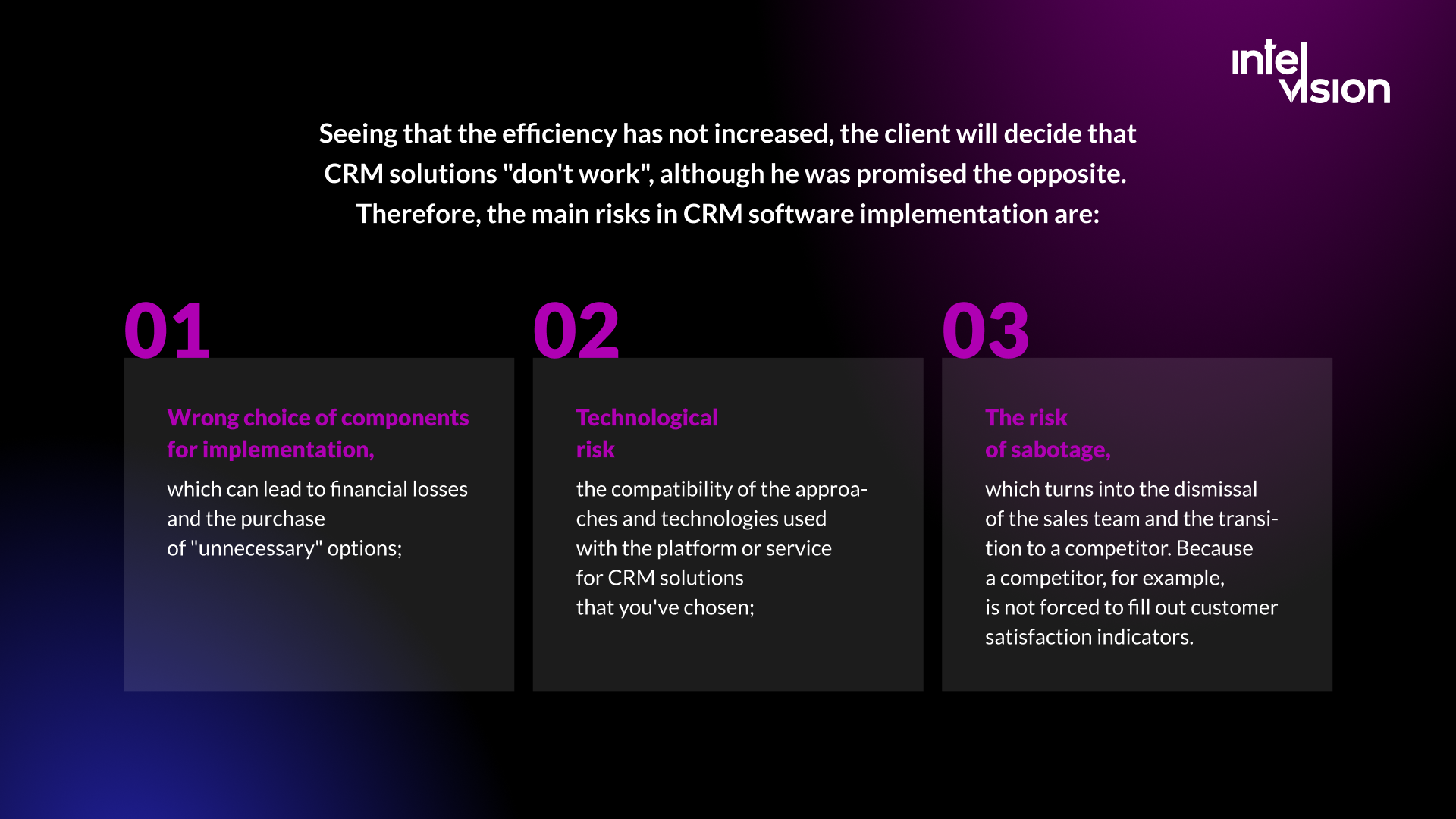
When efficiency does not improve, the conclusion is that "CRM does not work", although the real problem was the decision. The main risks in CRM implementation are:
- The wrong components, which means paying for options nobody uses;
- Technology risk: the tools and integrations you need do not fit the platform you chose;
- Adoption risk: the sales team resists the new system, keeps its own spreadsheets, or in the worst case leaves for a competitor that asks for less admin.
Start by defining why you need a CRM, and make sure the answer contains money. For example: "We lose 20 orders a week because the sales team does not call back. In money, that is too much. With a CRM, we stop losing them."
Then define the key change the CRM must bring: "Every missed call becomes a task, and the callback happens within 30 minutes."
From there, a practical sequence looks like this:
- Map the current process from first contact to repeat purchase, including who does what and where data lives today.
- Clean the data first. Deduplicate contacts, agree required fields and decide what not to migrate.
- Choose the platform against your process and integrations, not the demo. Run a short trial with real data and real users.
- Configure the minimum: one pipeline, the fields people really use, the three reports leadership needs.
- Integrate the systems that matter: email and calendar first, then website forms, telephony, ERP or accounting.
- Pilot with one team for four to six weeks, fix what annoys them, then roll out.
- Measure the money metric you started with, such as callbacks within 30 minutes or orders recovered, and review it monthly.
If you are unsure what is worth building before you commit budget, a short discovery phase answers that with your own numbers.
CRM data, GDPR and resilience
A CRM is a database of personal data, which brings obligations and risks.
- Collect only what you need. GDPR requires personal data to be "adequate, relevant and limited to what is necessary" for the purpose, and kept no longer than necessary. Define retention rules for old leads and inactive contacts.
- Record the basis for contact. Store consent and preferences against each person, so marketing can prove it is allowed to send.
- Contract your vendors properly. A CRM provider or an integration partner that processes customer data on your behalf needs a contract that meets Article 28 GDPR.
- Back up outside the vendor. In a published Intelvision engagement for a German energy-efficiency funding intermediary, the diagnostic found that the 90-day CRM recycle bin was not a backup and that corruption by an AI agent was not natively recoverable. After a third-party CRM backup to independent storage was added, CRM and SaaS data could be restored to any point in 30 days. As the case puts it, a recycle bin is an undo feature, not recovery.
Common CRM mistakes to avoid
- Buying features instead of outcomes. Start from the money problem, not the demo.
- Migrating dirty data. Duplicates and stale contacts poison reports and AI features from day one.
- Too many fields. Every mandatory field is a reason for salespeople to avoid the system.
- No owner. A CRM without an administrator decays within a year.
- Unconnected systems. If orders live in the ERP and conversations in the CRM, nobody sees the whole customer.
- Letting agents write without guardrails. Limit what AI agents can change, log their actions and keep independent backups.
- Ignoring industry specifics. Construction, for example, runs on projects, tenders and long relationships; our guide to CRM in construction covers what changes there.
Reach your CRM software development goals with Intelvision
Intelvision builds and modernizes software, implements AI in real business workflows and places senior engineers inside client teams. For CRM work, that means configuring and integrating the platform you already have, building the custom tools and integrations a standard CRM cannot cover, and adding AI where the data supports it. Our major features and integrations service covers exactly this kind of work.
- 100+ software products delivered for startups and scale-ups.
- A 5.0 Clutch rating from 14 verified reviews.
- Published CRM-related work for Vaillant, Posude and Kiflo, with results stated on each case page.
- Long partnerships: the average client relationship runs over three years.
- Senior engineers who are manually screened and technically interviewed by senior engineers before they join a client.
Tell us about the customer problem you want a CRM to solve. Just enter your details and we will get back to you.
Sources
- Harvard Business Review: The Value of Keeping the Right Customers (Amy Gallo, 2014)
- Salesforce: State of Sales report
- Salesforce: Sales Cloud pricing
- HubSpot: CRM pricing
- HubSpot: Sales Hub pricing
- Microsoft: Dynamics 365 Sales pricing
- Zoho CRM pricing
- Google Cloud: Announcing the 2025 DORA report
- GDPR Article 5: Principles relating to processing of personal data
- GDPR Article 28: Processor
Read Intelvision often? Add us as a preferred source in Google Search.
Add to preferred sources