How to Boost eCommerce Sales in 2026: A Practical Playbook and the GiFiT Case Study
What's new: New checkout, speed and email data, EU price and accessibility rules, AI shopping assistants, a 90-day plan and an FAQ; GiFiT facts now match the published case study.
Summarize with AI
Read summarized version with AI
- Revenue is sessions x conversion rate x order value x repeat purchases; find the weakest of the four before buying more traffic.
- Checkout is where most avoidable losses happen: Baymard puts average cart abandonment at 70.22%, and unexpected extra costs are the top reason.
- Speed and mobile matter: 56.4% of US online transactions in the 2025 holiday season were made on smartphones, and Core Web Vitals give concrete targets.
- Automated email flows (welcome, cart abandonment, back-in-stock) earn far more per send than campaigns; build them first.
- Keep urgency, discounts and reviews honest: EU price-reduction rules and the FTC fake-review rule now apply, and EU accessibility rules cover online shops since June 2025.
- Make product data complete and structured so search engines, marketplaces and AI shopping assistants can recommend you.
Online retail kept growing through 2025, but growth is now harder to win. Adobe counted $257.8 billion in US online spending between 1 November and 31 December 2025, up 6.8% on the year before, and 56.4% of online transactions were made on smartphones. In the same season, traffic to retail sites from generative AI tools rose 693.4% year on year, from a small base. Shoppers arrive from more places, compare more options and leave faster when something annoys them.
So how do you boost eCommerce sales in 2026? Not with one trick. Revenue is the product of four numbers: how many qualified visitors you get, how many of them buy, how much they spend per order and how often they come back. Every tactic in this guide moves one of those four numbers. The skill is finding the one that is broken in your store and fixing it first, instead of pouring more traffic into a leaking funnel.
This guide keeps the core of our original article (buyer personas, upselling, email, social media and brand work) and updates it with current checkout research, the rules that now apply to discounts, reviews and accessibility, what AI shopping assistants change, a list of common mistakes and a 90-day plan. At the end, we walk through GiFiT, the gifting product our team built for a Czech eCommerce startup, as an example of a custom feature designed to make buying more appealing.
The sales equation: find the leak before you buy more traffic
Most stores that ask how to increase eCommerce sales start with traffic: more ads, more influencers, more content. Traffic matters, but it is usually the most expensive lever. Before you spend on it, break revenue into its parts and look for the weakest one.
| Lever | What it measures | Signs it is your problem | First fixes |
|---|---|---|---|
| Qualified sessions | Visitors who could plausibly buy | Good conversion on the traffic you have, but low volume | Search visibility, product feeds, social commerce, partnerships |
| Conversion rate | Orders divided by sessions | High add-to-cart rate, low completed orders; big gap between desktop and mobile | Checkout, speed, payment options, delivery costs shown early |
| Average order value | Revenue divided by orders | Many single-item orders; shipping cost eats the margin | Bundles, cross-selling, free-shipping threshold, upsells |
| Repeat purchase rate | Share of customers who buy again | Strong first orders, weak second orders | Email and SMS flows, replenishment reminders, loyalty, service quality |
A simple illustration of why the order matters. Take a store with 50,000 sessions a month, a 1.5% conversion rate and an average order of 60 euros: 45,000 euros in monthly revenue. Lifting conversion from 1.5% to 1.8% adds 9,000 euros a month. Getting the same result from traffic would take 10,000 extra sessions, every month, at whatever your cost per visit is. Your numbers will differ, but the arithmetic usually favors fixing conversion and order value before scaling acquisition.
To find the leak, track the funnel step by step: product listing to product page, product page to add to cart, cart to checkout, checkout to order. Split every step by device and by channel. A conversion problem that only exists on mobile, or only for paid social traffic, needs a very different fix from one that exists everywhere. Most platforms and analytics tools report these steps once eCommerce events are set up correctly, so check the tracking itself first: broken events produce confident but wrong decisions.
Know who you are selling to: buyer personas built from real data
Think from the point of view of your users. What are their pain points? Where do they face friction? Where do they spend time online? Answering these questions lets you build buyer personas, and personas tell you what to sell, how to sell it and where to sell it.
The weak version of this exercise is a slide with a stock photo and an invented name. The useful version is built from evidence you already own:
- On-site search queries. What people type into your search box is the most honest description of demand you will ever get, including demand you do not serve yet.
- Customer service tickets and chat logs. Repeated questions about sizing, delivery or compatibility point at missing information on product pages.
- Reviews, yours and competitors'. Look for the words customers use and the reasons they give for returns.
- Post-purchase survey answers. One question ("What almost stopped you from buying today?") produces more insight than a long questionnaire.
- Order data. Which products are bought together, at which times, by new or returning customers.
For each persona, write down the job they are trying to get done, the trigger that starts the search, the objections that slow them down, the channels where they research and the proof they need before paying. That last point drives most of the decisions later in this guide: some buyers need reviews, some need delivery dates, some need a return policy they can understand in ten seconds.
Fix checkout first: where most lost sales happen
The average documented cart abandonment rate is 70.22%, according to Baymard Institute's compilation of 50 studies. Some of that is unavoidable: many visitors use the cart to save items or compare prices. But Baymard's survey of US shoppers shows how much is self-inflicted. Among people who abandoned an order during checkout, excluding those who were just browsing, the main reasons were:
| Reason for abandoning checkout (Baymard) | Share of shoppers | What to change |
|---|---|---|
| Extra costs too high (shipping, tax, fees) | 40% | Show the full price, including delivery, on the product page and in the cart, not on the last step |
| Delivery was too slow | 20% | Show a concrete delivery date and offer a faster paid option |
| Did not trust the site with card details | 19% | Familiar payment methods, visible security, clear company details and return policy |
| Site required account creation | 18% | Guest checkout by default; offer an account after the order |
| Checkout too long or complicated | 17% | Remove optional fields, use address autocomplete, keep one column |
| Website errors or crashes | 17% | Monitor checkout errors in production and test every payment method after each release |
Baymard estimates that large eCommerce sites can gain a 35.26% increase in conversion rate through better checkout design alone. Treat that as Baymard's estimate for an average large site, not a promise, but it explains why checkout work tends to pay back faster than almost anything else on this list.
Payment options. Offer the methods your buyers already use: cards, PayPal, Apple Pay and Google Pay, plus local methods in the markets you serve. Buy now, pay later is no longer niche: Adobe reports $20 billion of BNPL spending in the 2025 US holiday season, up 9.8% year on year. Wallets matter most on mobile, where typing a card number on a small screen is exactly the friction that ends sessions.
Protect customer data. Winning the trust of buyers starts with not losing their data. Keep card data out of your own systems by using your payment provider's hosted fields or tokens, keep dependencies patched and limit who can access customer records. A data leak can do lasting damage to an online business.
Checkout checklist:
- Guest checkout is the default; account creation is offered after the order.
- Total cost, including delivery, is visible before the customer starts checkout.
- Delivery is shown as a date or date range, not as "3 to 5 business days".
- Wallets appear on the cart page and on mobile product pages.
- Form errors appear inline, next to the field, in plain language.
- Discount code fields do not push people to leave and search for codes; consider a collapsed link instead of an open field.
- Every payment method is tested after every release, on real devices.

Make the store fast and mobile-first
Speed is a sales lever you can measure. In a study commissioned by Google and run by Deloitte and 55 across 37 European and US brand sites and more than 30 million sessions, a 0.1-second improvement in mobile site speed was associated with an 8.4% increase in retail conversions and 9.2% higher spending. Load times were monitored for 30 days at the end of 2019, so read it as strong evidence of direction rather than an exact forecast for your store.
Google's Core Web Vitals give you concrete targets. A page counts as good when, at the 75th percentile of real visits, Largest Contentful Paint is 2.5 seconds or less, Interaction to Next Paint is 200 milliseconds or less and Cumulative Layout Shift is 0.1 or less. On eCommerce sites, the usual offenders are oversized product images, third-party scripts (chat widgets, review widgets, tag managers, A/B testing tools) and layout shifts caused by banners and late-loading prices.
Because most holiday orders are now placed on smartphones, design for mobile first and then scale up, not the other way around:
- Load video after the key product information, not before it.
- Simplify the menu so it fits the screen and text can be read without zooming.
- Avoid long blocks of text and small tap targets; buyers should not have to aim.
- Use high-quality product images in modern formats, sized for the device.
- Keep the add-to-cart button and price visible without scrolling on common phone sizes.
- Measure with field data from real users, not only with lab tests on a fast laptop.
If a large part of your revenue comes from loyal repeat buyers, a dedicated app can be worth it for faster reordering and push notifications. We cover that trade-off in our article on why a retail business may need a mobile app.
Raise order value with upselling, cross-selling and bundles
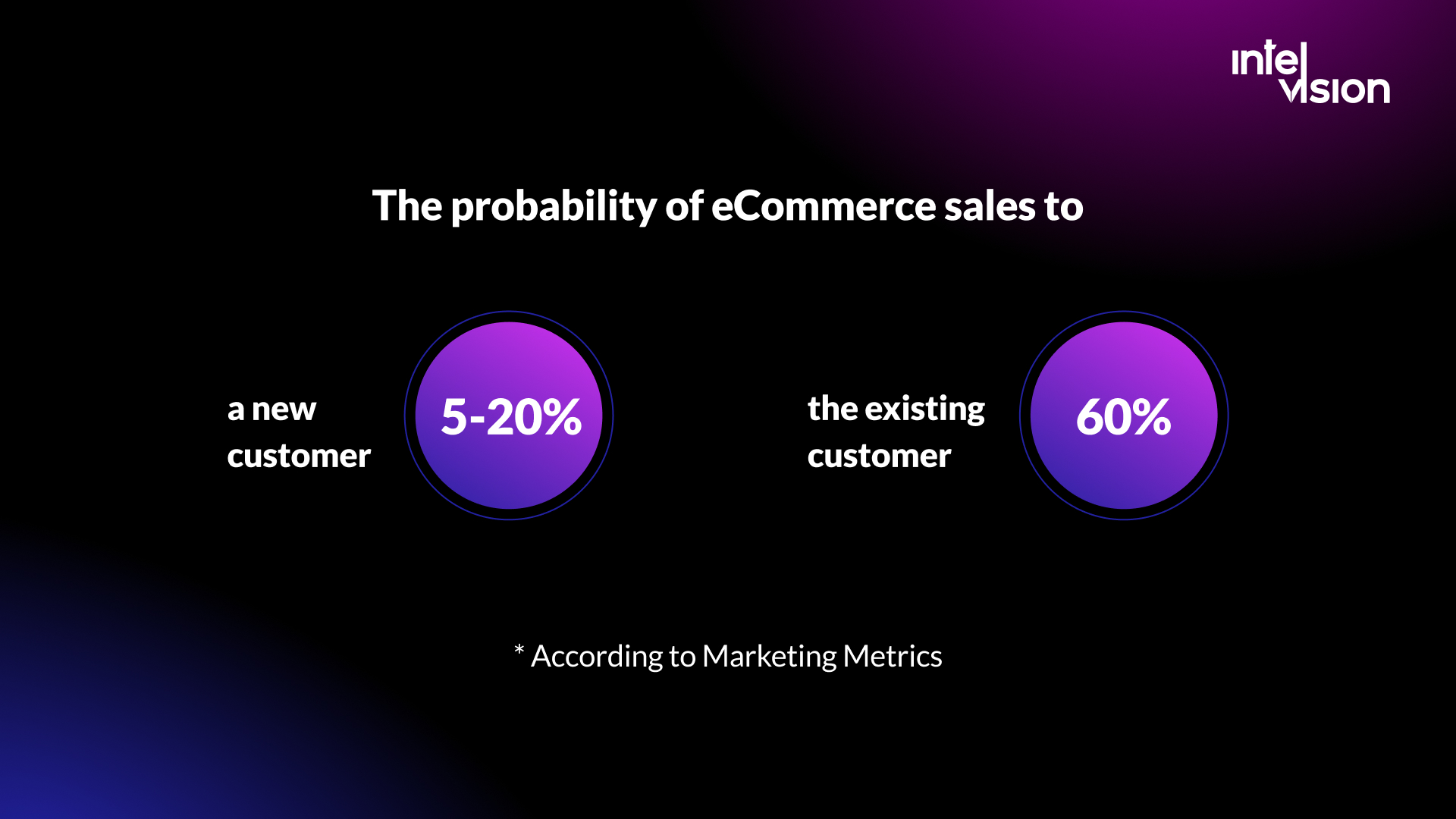
Upselling means offering the customer a more expensive option than the one they planned to buy. Instead of one scoop of ice cream, two. When selling plane tickets, a paid seat choice. Instead of a monthly subscription, an annual one. Selling to an existing customer is generally far easier than winning a new one, and upselling is one way to use that.
- Customization. Let buyers make the product the way they want it. When selling a car online, offer a choice of body color; when selling furniture, offer fabrics and sizes.
- Multiple products at a reduced price ("1+1=3"). The customer was about to buy one bottle of cleaning product; offer three for the price of two.
Cross-selling means offering related products alongside the original choice: a smartphone plus a protective film, a houseplant plus fertilizer. A block such as "customers often buy this with..." on the product page or in the cart is the classic implementation.
What separates upsells that work from upsells that annoy:
- Relevance over margin. Recommend what genuinely completes the purchase. An unrelated high-margin item trains people to ignore the block.
- Price anchoring. An add-on that costs a small fraction of the main item converts far better than one that nearly doubles the order.
- Placement. Product page and cart work for accessories; the order confirmation page works for "add to this order" offers that do not delay checkout.
- Start with rules, then add models. Rules based on order data ("bought together" pairs) are cheap and transparent. Machine-learning recommendations pay off once you have enough traffic and catalog depth for patterns to be reliable.
- Measure attach rate and margin, not only clicks: a cross-sell that adds revenue but triggers more returns may lose money.
Free shipping and delivery promises
Unexpected costs are the most common reason for abandoning checkout in Baymard's data, and slow delivery comes second. Free shipping works because it removes a surprise: the price on the product page is the price the customer pays. Keeping costs consistent from the product page to the checkout page increases the likelihood that the customer completes the purchase.
Free shipping is not free for you, so treat it as a pricing decision:
- Use a threshold. A free-shipping threshold set a little above your current average order value nudges buyers to add an item, which raises order value at the same time.
- Build delivery into product prices for items where the margin allows it, and say so plainly.
- Show progress in the cart. "Add 12 euros for free delivery" next to two or three relevant suggestions turns the threshold into a cross-selling moment.
- Promise dates, then keep them. A missed delivery date costs more future sales than an honest, slightly later one.
- Make returns clear. A short, readable returns policy linked from the product page reduces hesitation, especially for clothing, shoes and furniture.
Urgency and discounts that stay honest and legal
Fear of missing out (FOMO) is a real driver of purchase decisions, and marketers use it to persuade buyers that a good price will not come again. A limited quantity or a countdown to the end of a discount gives existing customers a reason not to postpone. For considered purchases, questions work too, for example: "What happens if you don't fix this problem by a certain date?" or "What happens if you don't deal with this problem at all?"
The line that matters in 2026 is truthfulness. Urgency works when it is real, and it backfires when it is invented:
- Real stock counts and real deadlines only. A countdown that restarts when the page reloads is noticed, screenshotted and shared.
- Follow EU price rules. In the EU, when you announce a price reduction, you must show the prior price, defined as the lowest price applied in the 30 days before the reduction, and the rule applies to online shops as well as physical ones. Inflating a "was" price before a sale is exactly what it was written to stop.
- Do not fake social proof. In the US, the Federal Trade Commission's rule announced in August 2024 bans fake reviews and testimonials, including AI-generated ones, reviews bought on condition of a particular sentiment, undisclosed insider reviews and fake social media indicators such as bot followers.
- Prefer first-order and threshold offers to permanent sales. Constant discounts teach customers to wait.

Email, SMS and push: automate the flows before adding campaigns
Email remains one of the highest-return channels in eCommerce, but the returns are concentrated in automated messages triggered by what a customer does. Omnisend's 2026 report, based on 2025 data from merchants on its platform, found that automated emails were 2% of email sends but drove 30% of email-driven revenue, earning $2.87 per send against $0.18 for scheduled campaigns. Abandoned cart and welcome messages produced 76% of automation-generated orders, and back-in-stock messages had the highest conversion rate of any automation, at 6.46%. Automated push notifications reached a 22.9% click-to-conversion rate. These figures come from one vendor's customer base, so expect your own numbers to differ, but the pattern is consistent: build flows first.
The core flows, in order of priority:
- Welcome series for new subscribers, with your best-sellers and your strongest reasons to buy.
- Cart abandonment, sent within hours, not days.
- Browse abandonment for people who viewed products but did not add them to the cart.
- Back-in-stock and price-drop alerts that customers opt into.
- Post-purchase: order confirmation, delivery updates, how-to-use content, then a review request after the product has arrived.
- Replenishment reminders for consumables, timed to the typical usage cycle.
- Win-back for customers who have not bought in a long time.
Build the list before you need it. An effective tactic is an opt-in checkbox during checkout, which is much less intrusive than a pop-up on arrival. Leave it unticked: consent you had to trick people into gives you a list that does not buy.
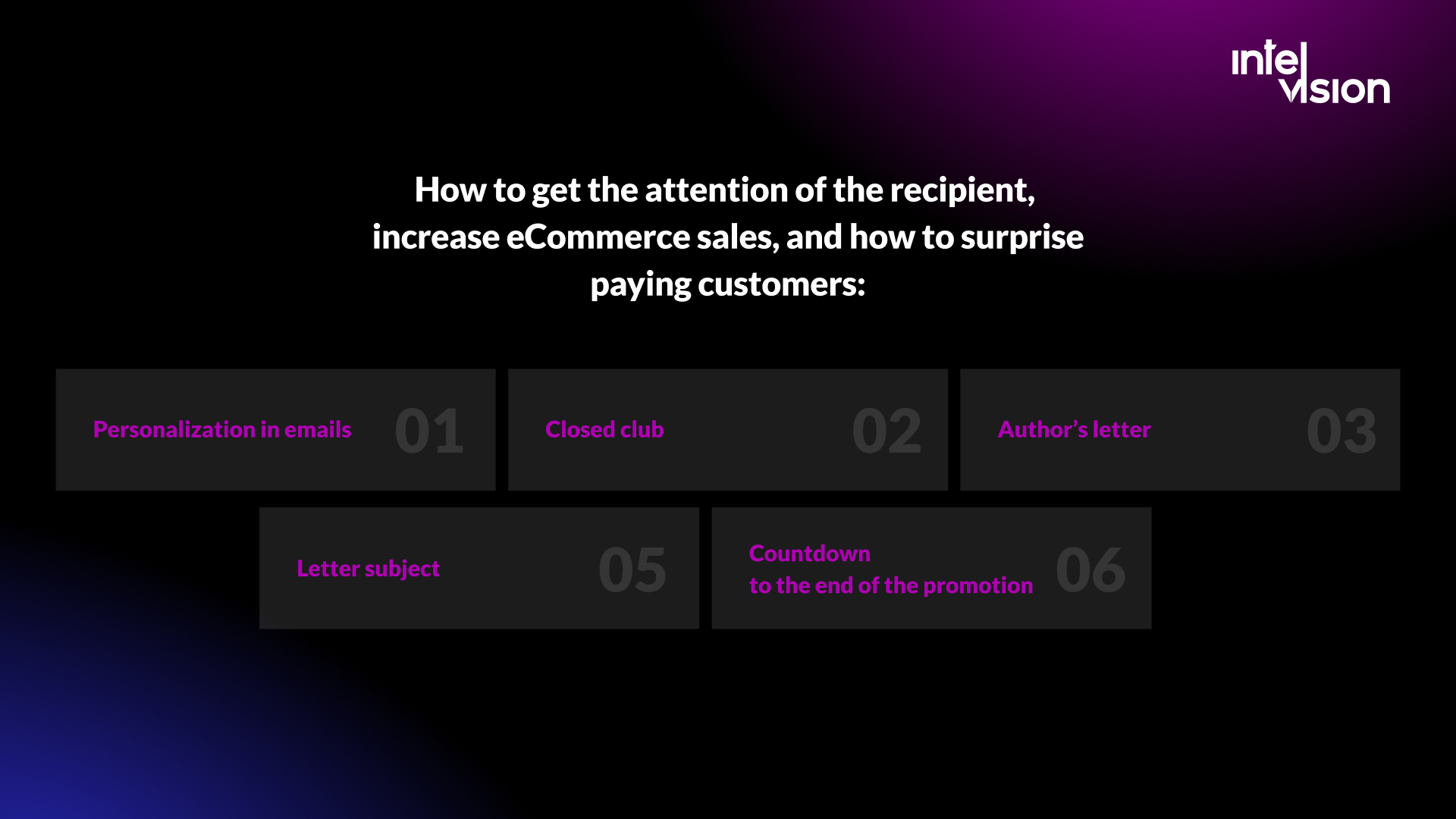
How to get the attention of the recipient and turn it into orders:
- Subject line. A personalized or intriguing subject line raises opens, and opens are the start of every sale an email produces.
- Letters from a person. People prefer talking to a person over a corporate machine. Do not overdo it: when you write to thousands of people, an overly personal tone can land badly.
- Countdown to the end of a promotion, provided the deadline is real.
- A closed club. Being part of a limited group makes an offer feel more valuable. A craft drinks store, for example, can send members recommendations for choosing wine or beer for the holidays, customer reviews and a coupon code, all strictly by invitation.
- Personalization based on behavior. Spotify's weekly Discover Weekly playlist is the familiar example: recommendations built from what each listener actually did. In a store, that means recommendations based on browsing and order history, not just a first name in the greeting.
Separate two kinds of newsletters when you measure them. Messages that ask for a specific action are judged by orders and revenue. Brand messages are harder to measure; watch unsubscribes, replies, opens over time and the purchase rate of engaged subscribers compared with unengaged ones.
Brand and a unique selling proposition people remember
Customers do not buy only a product; they buy the feeling and the associations that come with it. What separates a brand from a business is that customers have emotions and associations connected to its products. In crowded categories, that is what lets you stand out without competing on price alone.
- Find your distinctive features. A business needs specific product characteristics or service features that set it apart. Domestos built its message on killing 99.9% of germs; your version may be a guarantee, a material, a delivery promise or a level of expertise.
- Form a brand identity. Tiffany and Co is associated with a turquoise box, Apple with a bitten fruit.
- Create associations and link them to the brand. Focus on why the brand exists, what it changes for its customers and what kind of personality it has.
A unique selling proposition (USP) is what people are willing to pay you for. Put it in your social media profiles, use it in posts and advertising, and above all put it on product and category pages in plain text. That last point matters more than it used to: AI assistants and search engines summarize your pages, and a USP hidden in an image or a slogan is a USP they cannot repeat.
To create a USP:
- List the characteristics that set your products apart from competitors'. Which words would you use to tell a potential customer about the benefits?
- Research your competitors' USPs. What do they claim, and which claims can they actually prove?
- Define the needs of your target customer, using the persona work above.
- Use the formula: [brand] offers [product or service] for [target audience] because [value proposition]. Unlike [alternative or competitor], we [key difference].
- Test it. Run two versions of a landing page or ad and keep the one that converts, not the one the team likes best.
Apple's iPhone message, built around the idea that a phone should be simple and beautiful to use, is a good example of a proposition that is short, specific and repeated everywhere.

Social commerce, short video and user-generated content
Social platforms are no longer only a place to advertise; on several of them, people can now buy without leaving the app. TikTok Shop, which had already launched in Spain and Ireland, launched in Germany, France and Italy on 31 March 2025. Instagram and YouTube both push short video and shoppable formats. For a brand selling to younger audiences in Europe, social commerce has become a sales channel with its own catalog, fulfillment and customer service requirements, not just a source of traffic.
Short videos. The format came from TikTok, and other networks copied it to keep users: Instagram with Reels, YouTube with Shorts. A realistic starting point is two to four short videos a month that show new products, best-sellers and their specific benefits in an entertaining way. Every video needs a value proposition for the viewer and a clear link to the product.
User-generated content (UGC). UGC is content about your brand created by customers, employees, partners and fans. Reviews and customer photos are trusted more than branded posts, which is why so many brands repost them. Two rules: even customer photos need to be good enough to publish, and every piece of UGC must be genuine. Asking for reviews is fine; paying only for positive ones, or generating them with AI, is exactly what the FTC rule mentioned above prohibits.
Influencers. Work with creators whose audience matches your personas, require clear disclosure of paid partnerships, and pay at least partly on results through tracked links or codes.
Social content on your own site. Use strong product images to catch attention on Instagram and link back to the product page. You can also show a curated social feed or customer photos on product pages, which keeps the social proof where the buying decision happens. Watch the speed cost of embedded widgets; a static gallery often does the same job without slowing the page.

Customer service, live chat and AI assistants
A good customer experience sells, and a bad one is remembered. Customers should be able to reach you easily and quickly, through live chat, a chatbot, email or phone, and get a correct answer. In 2026, the practical question is how to use AI assistants without letting them make things up.
- Ground the assistant in your own data. An assistant that answers questions about sizing, delivery, returns and compatibility from your catalog, policies and order system is useful. One that answers from general knowledge will eventually promise a refund policy you do not have. This is what retrieval-based designs are for; we explain the approach on our page about RAG and knowledge systems.
- Hand over to a person when the customer asks, when money is involved, or when the assistant is not confident.
- Keep payment details out of chat. Never ask for card numbers in a conversation; send customers to the secure checkout or payment link instead.
- Measure sales, not only deflection. Compare conversion and order value for visitors who used chat with similar visitors who did not.
Beyond support, AI is now a practical part of the store itself: better on-site search that understands natural language, product descriptions drafted from structured attributes and reviewed by a person, size recommendations, and summaries of long review threads. If you are deciding which of these is worth building, our page on AI product features describes how we approach that decision.
Augmented reality still has a place where it solves a real buying problem: seeing a sofa in your living room, trying glasses or checking how a product looks at real scale. Use it where returns caused by "not what I expected" are high, not as a campaign gimmick.
Get found by AI shopping assistants
A growing share of product research now starts in a conversation with an AI assistant. The volumes are still small compared with search and social, but they are growing fast: Adobe measured a 693.4% year-on-year rise in traffic from generative AI tools to US retail sites during the 2025 holiday season.
The platforms are still working out how buying should happen inside these assistants. OpenAI launched Instant Checkout in ChatGPT in September 2025; by March 2026 it had stepped back, letting merchants use their own checkout while ChatGPT focuses on product discovery, after adoption stayed small. Google announced the Universal Commerce Protocol in January 2026, developed with Shopify, Etsy, Wayfair, Target and Walmart, to let shoppers check out directly from eligible listings in AI Mode in Search and the Gemini apps, starting in the US, and added new data attributes in Merchant Center for AI surfaces.
The lesson for most merchants: do not chase every protocol. Make sure any assistant can understand, trust and recommend your products. That work also improves classic search and marketplace performance:
- Complete product data. Accurate titles, brand, GTINs, variants, materials, dimensions, prices, stock and shipping costs, kept in sync between your feed and your pages.
- Structured data on product pages, including price, availability, ratings and return policy, so machines read the same facts as people.
- Answer comparison questions in plain text. Buying guides and product pages that explain trade-offs ("which model for which use") are what assistants quote.
- Trust signals. Genuine reviews, a clear returns policy, company details and mentions on independent sites.
- Clean feeds for each channel: Google Merchant Center, marketplaces and your platform's sales channels for AI assistants where available.
Accessibility: a legal duty in the EU and a conversion lever
Since 28 June 2025, online shops selling to consumers in the EU must meet accessibility requirements under the European Accessibility Act, which lists e-commerce among the services it covers. Micro-enterprises with fewer than ten employees and an annual turnover or balance sheet total of no more than two million euros are exempt. Everyone else must make the shop usable for people with disabilities without undue difficulty, including payment and security functions; meeting the harmonized standard EN 301 549, which references the WCAG success criteria, creates a presumption of conformity. Enforcement runs through national laws, so details vary by country.
Accessibility work and conversion work overlap almost completely. The fixes that help a screen reader user also help a buyer on a phone in bright sunlight:
- Every form field has a visible label, and errors are explained in text next to the field.
- The whole purchase can be completed with a keyboard alone.
- Text contrast is sufficient, and product images have meaningful alternative text.
- Filters, carousels and pop-ups can be operated and closed by assistive technology.
- CAPTCHAs and verification steps have accessible alternatives.
- An accessibility statement explains how the service meets the requirements and how to get help.
After the order: surveys, reviews and repeat purchases
The order confirmation page is one of the most read pages in your store and one of the least used. Add a short post-purchase survey there. Ask what convinced the customer to buy from you, or what could have made the experience better. You will learn your strengths and weaknesses through your customers' eyes, and you will often find the exact words to use in your next ad.
Calls to action (CTAs) deserve the same care. A CTA can be a text link, a button or a banner, and it can lead to best-sellers, a product description, a subscription, a registration or a request to leave a review. A good CTA tells a visitor exactly what to do next and why. A creative one ("Leave a review and get a discount on your next order") makes the next step feel worth taking.
Repeat purchases are the cheapest sales you will ever make. Practical ways to earn them:
- Ask for reviews at the right moment, after the product has arrived and been used, not on the day of shipping.
- Offer subscriptions or replenishment for products people buy on a cycle.
- Reward loyalty with service, such as early access, free returns or priority support, rather than only discounts.
- Close the loop on complaints. A customer whose problem was solved quickly is often more loyal than one who never had a problem.
When a custom feature beats another plugin
Platforms such as Shopify, Shopware, Adobe Commerce and WooCommerce cover the standard needs of an online store very well, and their app ecosystems cover much of the rest. Building custom software for something an app does well is usually a waste of money. But stores reach a point where the next gain in sales depends on something the platform cannot do out of the box.
| Situation | Usually the right choice |
|---|---|
| Standard need: reviews, email capture, basic bundles | Install and configure an existing app |
| Several apps fighting each other and slowing the store | Consolidate, remove what you do not use, measure speed again |
| Integration with your ERP, warehouse, CRM or a marketplace | Custom integration on top of the platform's APIs |
| A buying experience that is part of your proposition (configurators, gifting, subscriptions with rules) | Custom feature or custom product |
| Data or performance needs the platform cannot meet | Headless or custom architecture, introduced step by step |
AI-assisted development has made well-specified features faster to build, and it is part of how engineering teams work in 2026. It has not removed the slow parts: deciding exactly what to build, integrating with systems that hold real money and real orders, testing payment flows and reviewing the code for security. Budget your time accordingly.
If you are planning a new store or a rebuild, our eCommerce website development guide covers the process, and our list of must-have eCommerce features helps you decide what belongs in the first release. For features and integrations on an existing product, see how we work on major features and integrations.
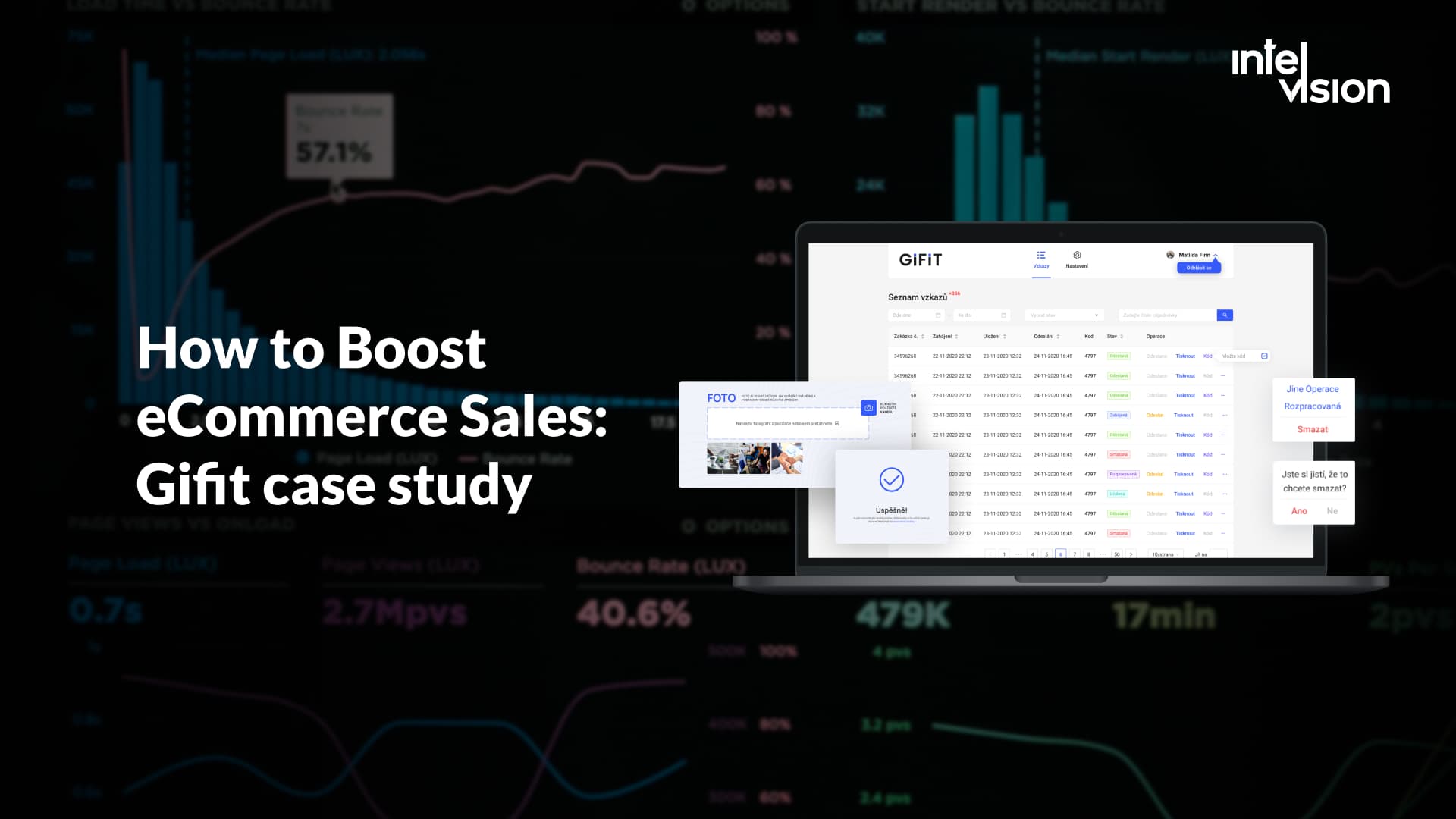
Case study: GiFiT, a gifting product built for eCommerce
Buying a gift online is often a cold experience: a box arrives with a packing slip and nothing personal. GiFiT, a Czech startup in the eCommerce gifting space, set out to change that. The client came to Intelvision by referral, looking for a partner that could deliver a product end to end.
The idea, as published on the GiFiT case study page: customers attach personalized digital messages (text, photos, videos and GIFs) to a physical gift, and the recipient opens them by scanning a secure QR code delivered with the package.
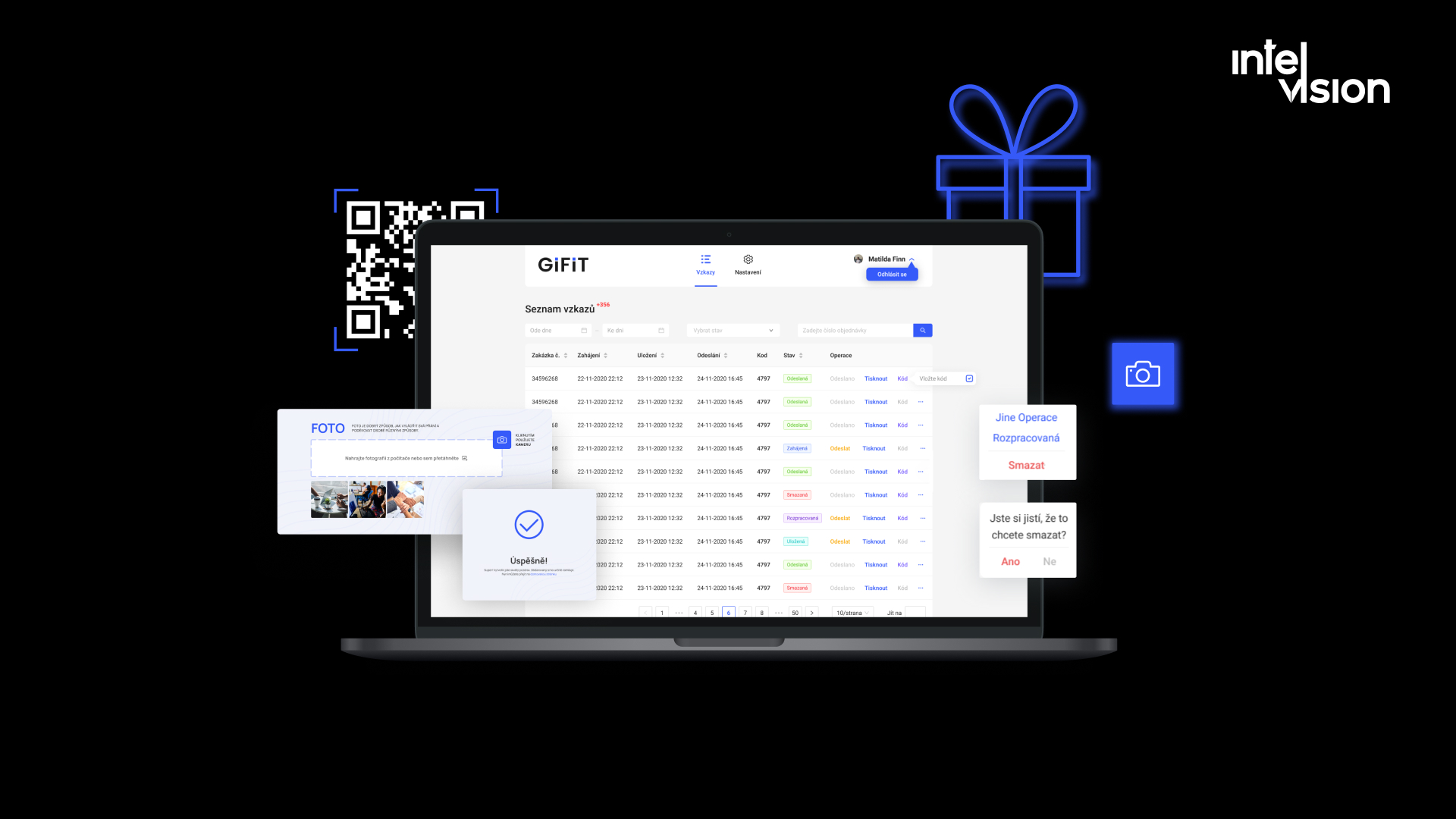
The challenges listed on the case page were:
- Building a product from scratch in a short time.
- Handling and streaming video for video greeting cards cost-effectively, plus a CRM integration to automate and personalize the gifting workflow for sender and recipient.
- Synchronizing web and mobile, because users switch devices while creating a greeting.
- Integrating with a local marketplace so that ordering and personalizing a gift would feel natural.
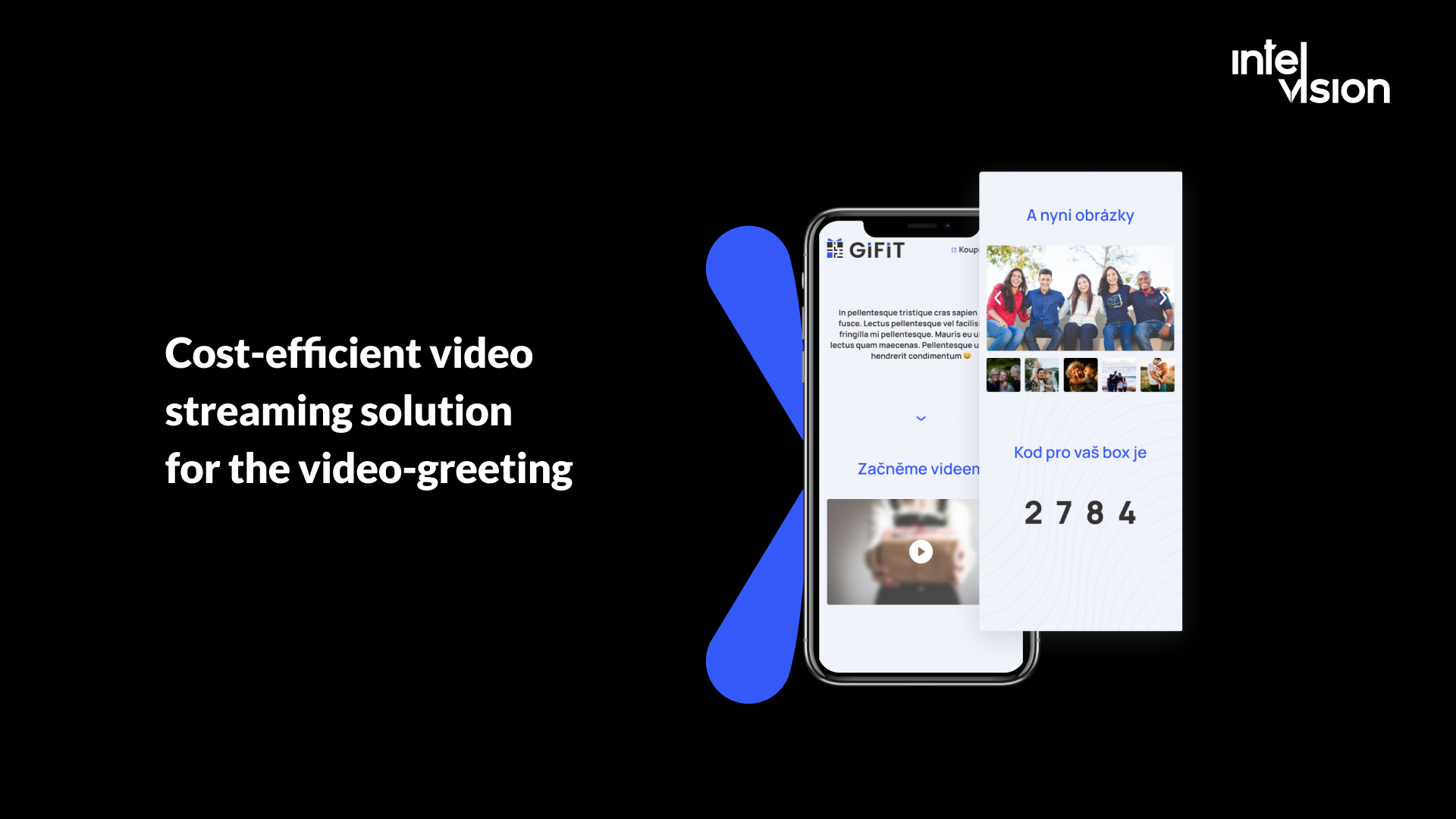
What the team built. Intelvision assembled a full-cycle team (back-end developer, front-end developer, project manager, DevOps engineer and QA engineer) working in two-week Scrum sprints. The system was built with .NET and React, with Azure Media Services for video upload and streaming and Azure Blob Storage for media. The work included:
- A QR-driven gifting flow. Videos, images and GIFs attached to a gift are revealed only when the recipient scans the code on the package.
- Cost-effective video handling through Azure Media Services, so greetings play without delay while keeping costs low.
- Web and mobile synchronization, so users can create, edit and preview a greeting on any device and switch midway.
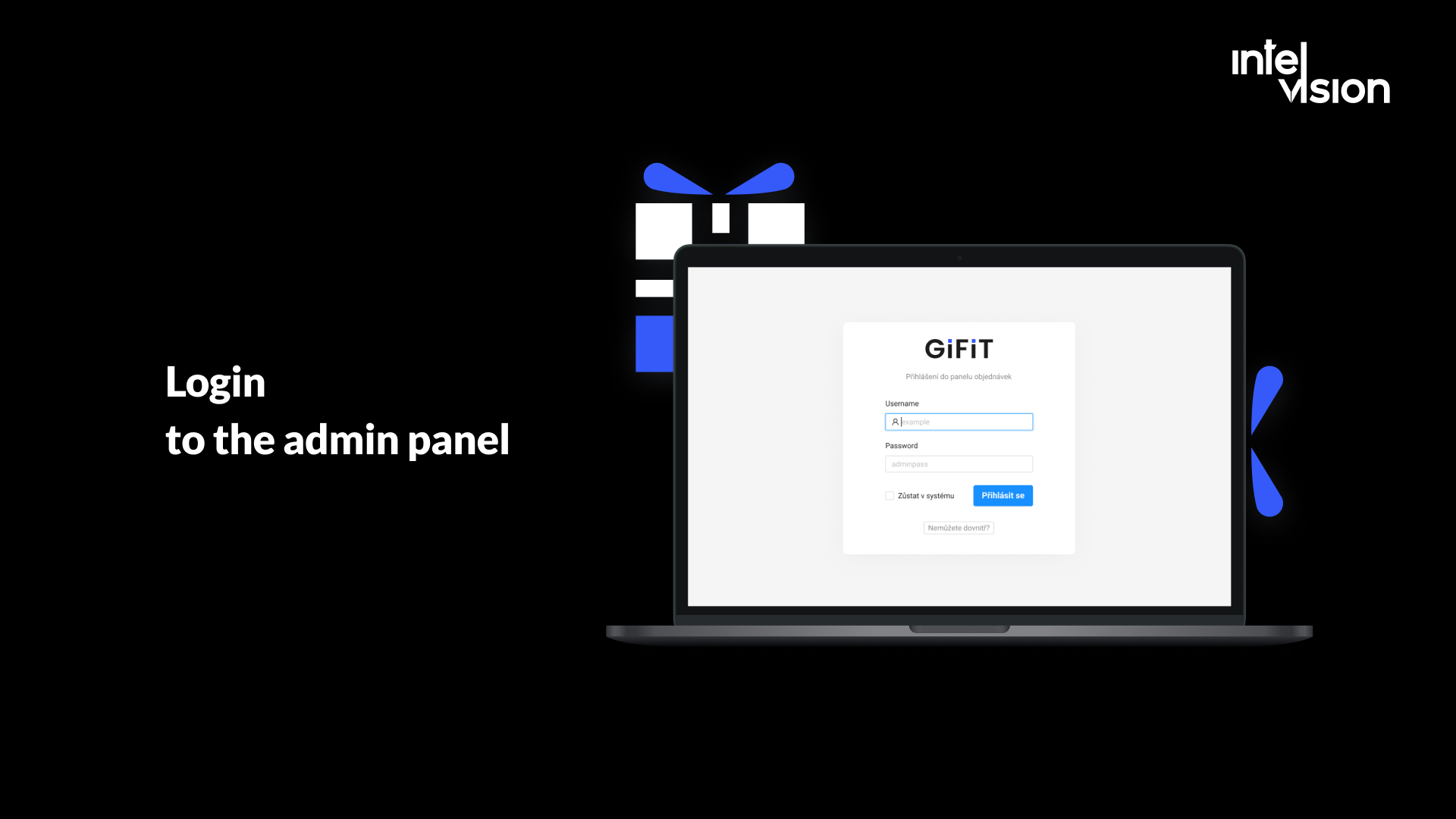
- An admin panel for tracking, filtering and managing orders.
- CRM integration to automate engagement and keep a history of gifts for senders and administrators.
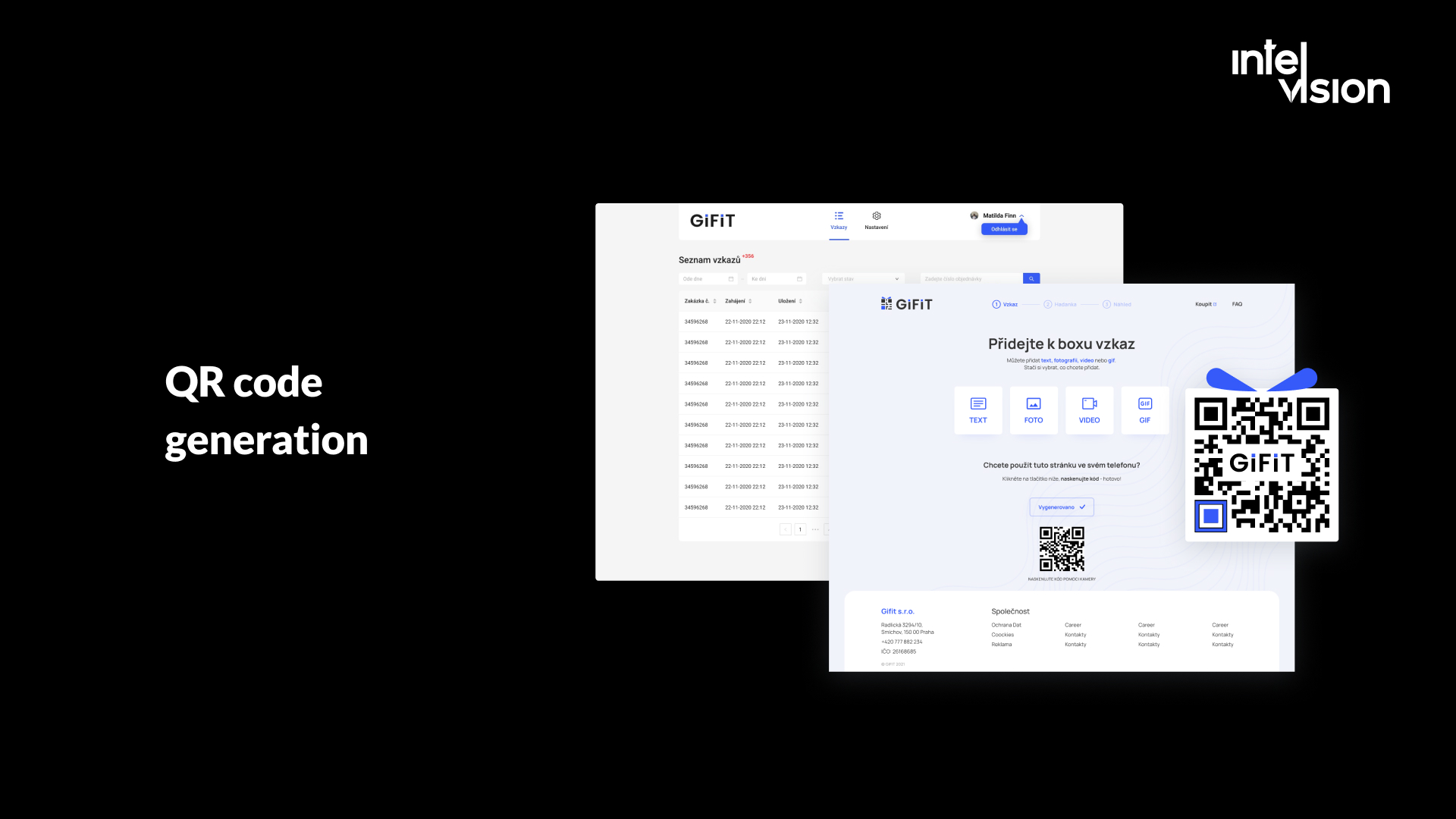
The published stack also includes ASP.NET Core, Redux, .NET 5, Entity Framework Core, MS SQL, Azure Web Apps, Microsoft Extensions Localization and a QR and barcode scanner.
Results as published. The MVP was built and released in three months, within a budget the case page lists as USD 20k+, with a fully dedicated team and no hiring expenses for the client. The client's tech lead, Andrej H., said the team "delivered exactly what I asked for". The case page reports delivery outcomes rather than sales figures, so we will not invent a revenue uplift here.
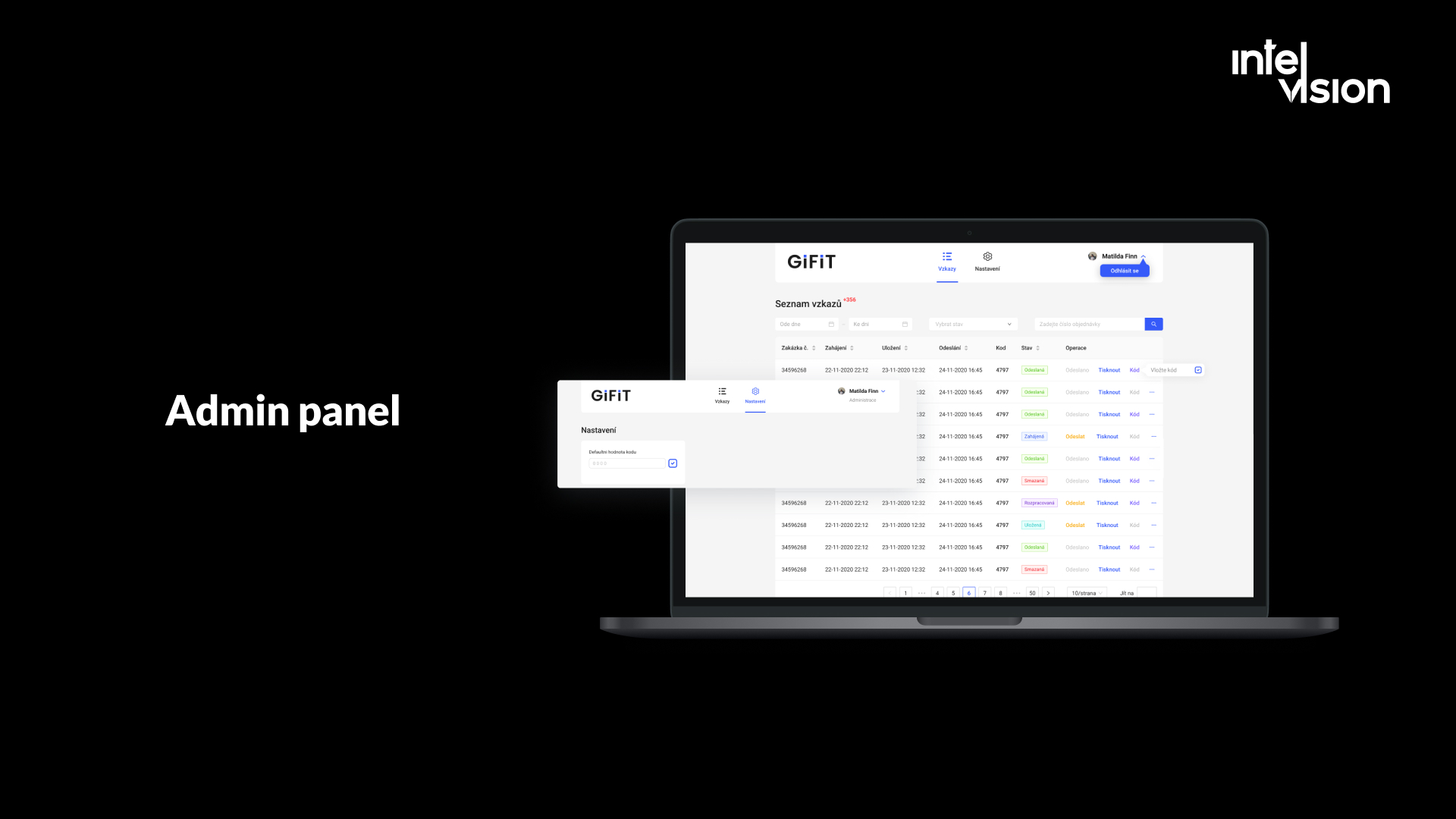
What other stores can take from it:
- Gifting is a sales lever in its own right. Gift messages, gift wrapping, delivery to a different address and hidden prices on the packing slip all reduce reasons not to order a present online.
- Corporate gifting is a separate buyer. Companies buying for employees or clients need bulk orders, personalization at scale and invoices, which a standard checkout rarely handles well.
- Experience features can be small and fast. A focused MVP with a clear scope, built by a small team in three months, is a realistic way to test whether a feature changes buyer behavior before investing more. Our MVP and product development page explains how we scope this kind of work.
Common mistakes that cap eCommerce sales
- Buying traffic for a store that does not convert. Fix the funnel first; the same budget goes further afterwards.
- Hiding costs until the last step. It is the single most common reason for abandoned checkouts in Baymard's research.
- Forcing account creation. Offer it after the order, when the customer has a reason to say yes.
- Installing an app for every idea. Each script slows the store a little; together they slow it a lot.
- Testing on the office laptop. Your customers use mid-range phones on mobile networks.
- Fake urgency and doubtful reviews. They work briefly and then cost trust, and in the EU and US they can also cost fines.
- Campaign emails without automated flows. The flows earn far more per message and run without daily effort.
- Treating accessibility as an afterthought. In the EU it is a legal requirement, and the fixes improve conversion for everyone.
- Letting product data rot. Wrong stock, prices or attributes now mislead search engines, marketplaces and AI assistants as well as people.
A 90-day plan to boost eCommerce sales
Weeks 1 and 2: measure. Check that analytics events fire correctly. Build the funnel report by device and channel. Calculate sessions, conversion rate, average order value and repeat purchase rate for the last six months. Pick the weakest lever.
Weeks 3 to 6: fix checkout and speed. Show full costs early, enable guest checkout and wallets, remove unnecessary fields, and fix the slowest templates (usually product and category pages) against Core Web Vitals targets. Remove apps you do not use.
Weeks 7 to 10: raise order value and build flows. Introduce a free-shipping threshold and two or three relevant cross-sells in the cart. Launch welcome, cart abandonment, browse abandonment and post-purchase flows. Add the one-question post-purchase survey.
Weeks 11 to 13: get discoverable and compliant. Audit product data and structured data, clean your Merchant Center feed, review your accessibility against WCAG and EN 301 549, and check that every discount shows the correct prior price. Then decide which larger feature, if any, is worth building next, based on what the data from the first ten weeks tells you.
Throughout, change one major thing at a time where you can, and compare against the same period and traffic mix. Otherwise you will not know which change made the difference.
Bottom line
Increasing the number of orders your store gets is a gradual process. You will not see a change in a day or two. But stores that find their weakest lever, fix checkout and speed, automate their customer messages, stay honest with discounts and reviews, and keep their product data clean see their sales volume grow in a way that lasts.
If the next step for your store is a feature or integration your platform cannot deliver, or a product page and checkout that need engineering rather than another app, talk to our team. We will tell you plainly whether custom work is worth it for your case.
Sources
- Adobe: Holiday shopping season drove a record $257.8 billion online (January 2026)
- Baymard Institute: Cart abandonment rate statistics
- web.dev: Milliseconds make millions (Deloitte study commissioned by Google)
- web.dev: How the Core Web Vitals metrics thresholds were defined
- Omnisend: 2026 Ecommerce Marketing Report
- iubenda: Obligations when announcing a price reduction under the Omnibus Directive
- FTC: Final rule banning fake reviews and testimonials (August 2024)
- eCommerce Germany News: TikTok Shop expands to Germany, France and Italy
- Digital Silk: ChatGPT for ecommerce after Instant Checkout
- TechCrunch: Google announces a new protocol to facilitate commerce using AI agents (January 2026)
- European Commission: European Accessibility Act
- Noerr: Accessibility in e-commerce, new obligations for online shop operators from June 2025
Read Intelvision often? Add us as a preferred source in Google Search.
Add to preferred sources