Why Your Business Needs a Retail Mobile App: 2026 Guide
What's new: New mobile shopping and loyalty data, an app-or-website decision table, AI shopping assistants, cost estimates, EU accessibility rules, a launch checklist and an FAQ; outdated statistics removed.
Summarize with AI
Read summarized version with AI
- Smartphones carried 56.4% of US online holiday transactions in 2025 (Adobe), but downloads and time spent in retail apps declined, so an app must give customers a reason to return.
- Build an app when customers buy often, when you run a loyalty program, when you have stores to connect or when staff need offline tools; otherwise invest in the mobile website first.
- Loyalty is the strongest case: Starbucks Rewards members made up 59% of US company-operated tender dollars in fiscal Q3 2026, and Lidl Plus has passed 120 million users.
- Most app projects reviewed on Clutch cost $10,000 to $49,999; integrations, loyalty logic and maintenance drive the real budget, and app store commissions do not apply to physical goods.
- Since June 2025 the European Accessibility Act covers e-commerce apps, and AI shopping assistants are becoming a standard customer expectation.
We hold our phones in meetings, leave them on the café table and put them under the pillow at night. For retailers, that habit is the whole argument for a mobile app: it is the one channel that stays in the customer's pocket between visits. But in 2026 the question is no longer whether customers shop on their phones. They do. The question is whether your business needs its own app, or whether a strong mobile website does the job.
This guide, first published in 2022 and rewritten for 2026, answers that question with current data, explains why a mobile app for retail works when it works, which features matter, what an app costs, the rules you must meet in Europe, and how AI is changing the shopping experience inside apps.
How a retail app can help your business
The audience is there. GSMA Intelligence's Mobile Economy 2026 report counts 5.8 billion unique mobile subscribers, around 70% of the global population. And the money follows: in Adobe's analysis of the 2025 US holiday season, smartphones accounted for 56.4% of online transactions out of a record $257.8 billion in online spending, up from 54.5% a year earlier. On Christmas Day the mobile share reached 66.5%.
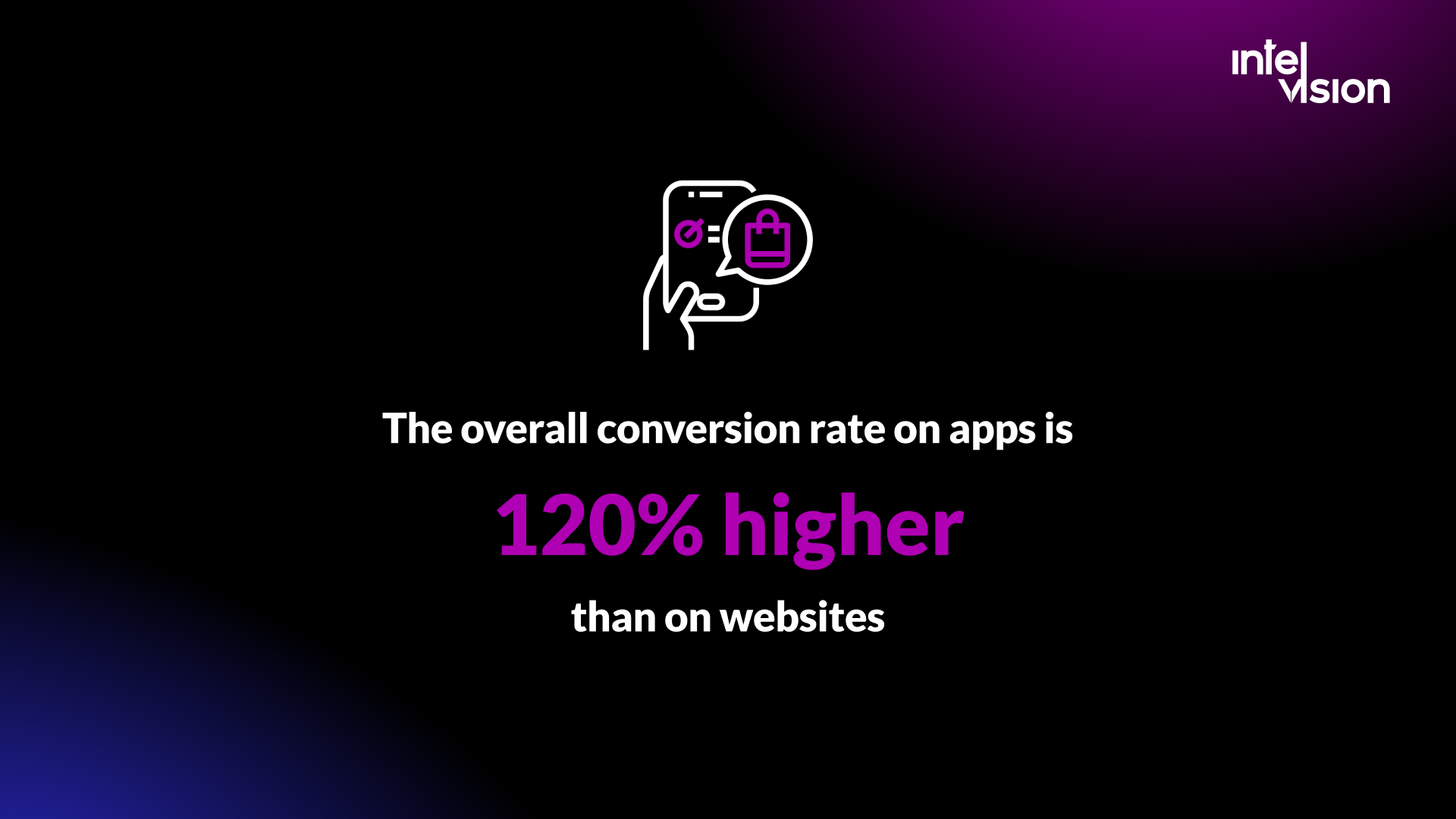
There is a catch that the 2022 version of this article did not have to mention. Sensor Tower's State of Mobile 2026 found that global downloads and time spent in retail apps declined in 2025, partly because Temu and SHEIN expanded more slowly. Mobile shopping keeps growing, but customers are choosier about which retail apps they install and keep. An app has to give them a reason to come back: rewards, convenience in the store, faster reordering, or something a browser cannot do.
New brands enter the market every day, starting on social networks, opening online stores or placing products in small shops. For many of them, and for established retailers, the next step is a mobile app for the retail store. Here is what a good one does.
Increase product visibility and sales
An installed app puts your brand icon on the customer's home screen and gives you a channel you own, without paying for every visit through ads or marketplaces. Logged-in app users can be shown relevant products, their saved baskets and their past orders, which shortens the path from intent to purchase. The customers who install your app are usually your most engaged ones already, so the app is where you protect and grow that revenue.
Build brand loyalty
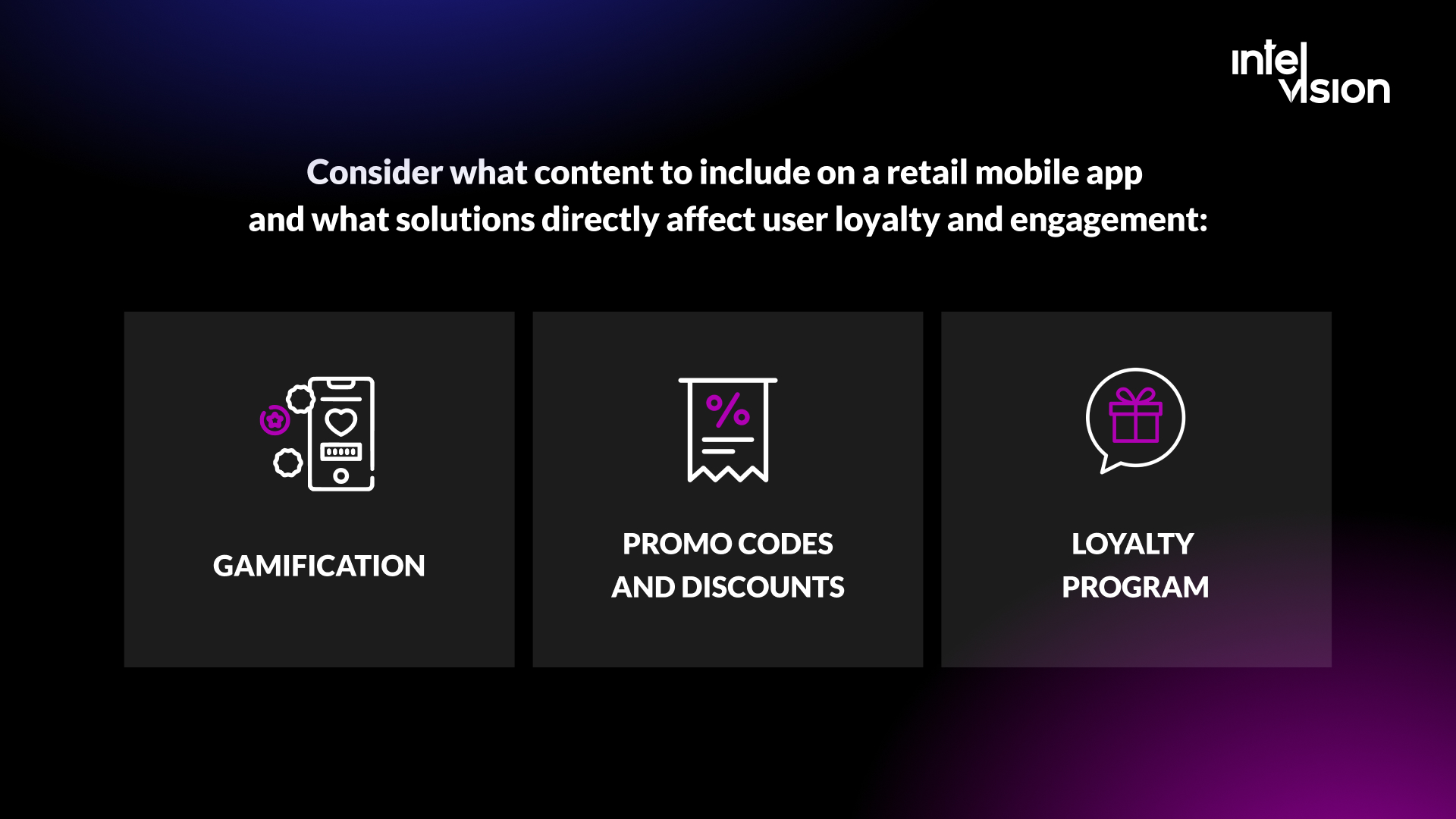
Large retailers do not use apps only to sell. They use them to turn regular buyers into loyal ones who come back by habit. Three mechanisms still work:
- Loyalty programs. Starbucks is still the reference case. Its own dashboard for the third quarter of fiscal 2026 shows 35.8 million 90-day active Starbucks Rewards members in the US, whose spending made up 59% of tender dollars in US company-operated stores. In grocery, Lidl Plus has passed 120 million users worldwide after rolling out to every country where Lidl has stores, built around instant rewards and personalized coupons.
- Personalized offers and promo codes. Promotions are everywhere, from supermarkets to marketplaces, so generic codes do little. Codes tied to behavior work better: a reward for inviting a friend, a discount on a category the customer has not tried, an offer when a saved item drops in price. They require flexible pricing and a back end that can target offers per customer.
- Gamification. Challenges, streaks, scratch cards and tiered status give customers a reason to open the app between purchases. Keep it simple and tied to real rewards; a game nobody understands does more harm than good.
Get more customers
An app is mostly a retention channel, but it also brings new customers when it is built for sharing. Referral rewards, gift features, wish lists that friends can see and app-only launches turn existing customers into a source of new ones. Paid campaigns can also use your best app customers as a seed audience, so you reach people who resemble them rather than cold traffic.
Improve service in physical stores
For retailers with stores, the app is the bridge between online and offline. Starbucks again shows the scale: mobile orders were 33% of transactions in its US company-operated stores in the same quarter. Features that work in stores include:
- Order ahead and click and collect. Customers pay in the app and pick up in store, or reserve items to try on before buying.
- Store mode. Live stock per store, aisle location, scan-to-see reviews and a digital loyalty card at the checkout.
- Augmented reality. Furniture, cosmetics and eyewear retailers use AR so customers can see a product in their room or on their face before they buy.
Do you need an app, or is a mobile website enough?
Not every retailer needs a native app. A fast, well-designed mobile website or progressive web app (PWA) serves first-time visitors, search traffic and occasional buyers better, because nobody has to install anything. The app earns its cost when customers buy often and want convenience. Use this table to decide.
| Your situation | Mobile website or PWA | Native or cross-platform app |
|---|---|---|
| Customers buy a few times a year | Usually enough | Hard to justify |
| Customers buy weekly or monthly (grocery, coffee, beauty, pet supplies) | Works, but leaves value on the table | Strong case: reorder, rewards, push |
| You run a loyalty program | Possible, but less visible | Strong case: card in the pocket, offers, status |
| You have physical stores | Store finder and stock check | Strong case: scan, pay, collect, store mode |
| Field sales or staff need it offline | Weak offline support | Strong case: offline-first app with sync |
| Most traffic comes from search and ads | Essential either way | Optional, after the website works |
| You need camera, AR, NFC or background location | Limited | Required |
Most retailers need both: the website for discovery, the app for loyal customers. Build the app when the website already converts well and you can name the repeat behavior the app will make easier.
Reasons to create a retail mobile app
A retail mobile app is the most direct and interactive communication channel a retailer has. It stimulates sales, coordinates delivery and pickup, carries the loyalty program, and collects first-party data on purchasing behavior that you own rather than rent from an ad platform or marketplace.
Retailers who already sell through mobile commerce have learned to judge new features by their business case and to prioritize accordingly. They do not limit retail mobile app development to direct sales, which a mobile website can handle. The app becomes the place for experiences a browser does poorly: scan and go, AR try-on, offline catalogs for staff, wallet-based loyalty cards and, increasingly, AI shopping assistants.
Four reasons come up again and again when retailers decide to build:
- Frequency. The app makes the tenth purchase faster than the first: saved payment, saved addresses, one-tap reorder.
- Owned reach. A customer who allows notifications can be reached without paying for each contact.
- Data. Logged-in sessions show what customers browse, save, buy and return, across online and store.
- Store integration. The app connects the customer to stock, staff and checkout in the physical store.
Do you already have a mobile app but don't know how to improve it for more sales? Intelvision's engineers help retailers choose the right technology for a new build, prepare technical specifications, extend existing apps and run delivery.
Advantages of having a mobile app for retail stores
Amazon uses its app to test shopping features that the rest of retail adopts later, most recently its Rufus AI assistant. You do not need Amazon's scale to get the core advantages.

Push notifications increase engagement, when customers allow them. Push is the channel email cannot match for timing: a restock alert, an order-ready message, a reward about to expire. It is also permission-based on both platforms now. Since Android 13, notifications are off by default for newly installed apps until the user grants permission, as on iOS. Airship's 2026 benchmark report, based on over 681 billion push notifications to more than 3 billion users, found that Android and iOS opt-in rates are now near parity. The practical consequence: ask for permission in context, when the customer has a reason to say yes ("Tell me when my order is ready"), not on the first launch screen.
Loyalty programs strengthen customer relationships. A program that lives in the app is always with the customer, shows progress toward the next reward and can be used at the store checkout. The Starbucks and Lidl numbers above show how far this goes when it is done well.
Analytics lead to better decisions. App analytics show which products are viewed but not bought, where checkout breaks, which offers drive repeat visits and how store and online behavior connect. Under GDPR in Europe this requires a proper consent flow, but the first-party data you collect with consent is worth more every year as third-party tracking shrinks.
And the app should pay for itself. Set a target before you build: the share of revenue from app users, repeat purchase rate, average order value or store pickup volume. If none of these can move, the app is a cost center.
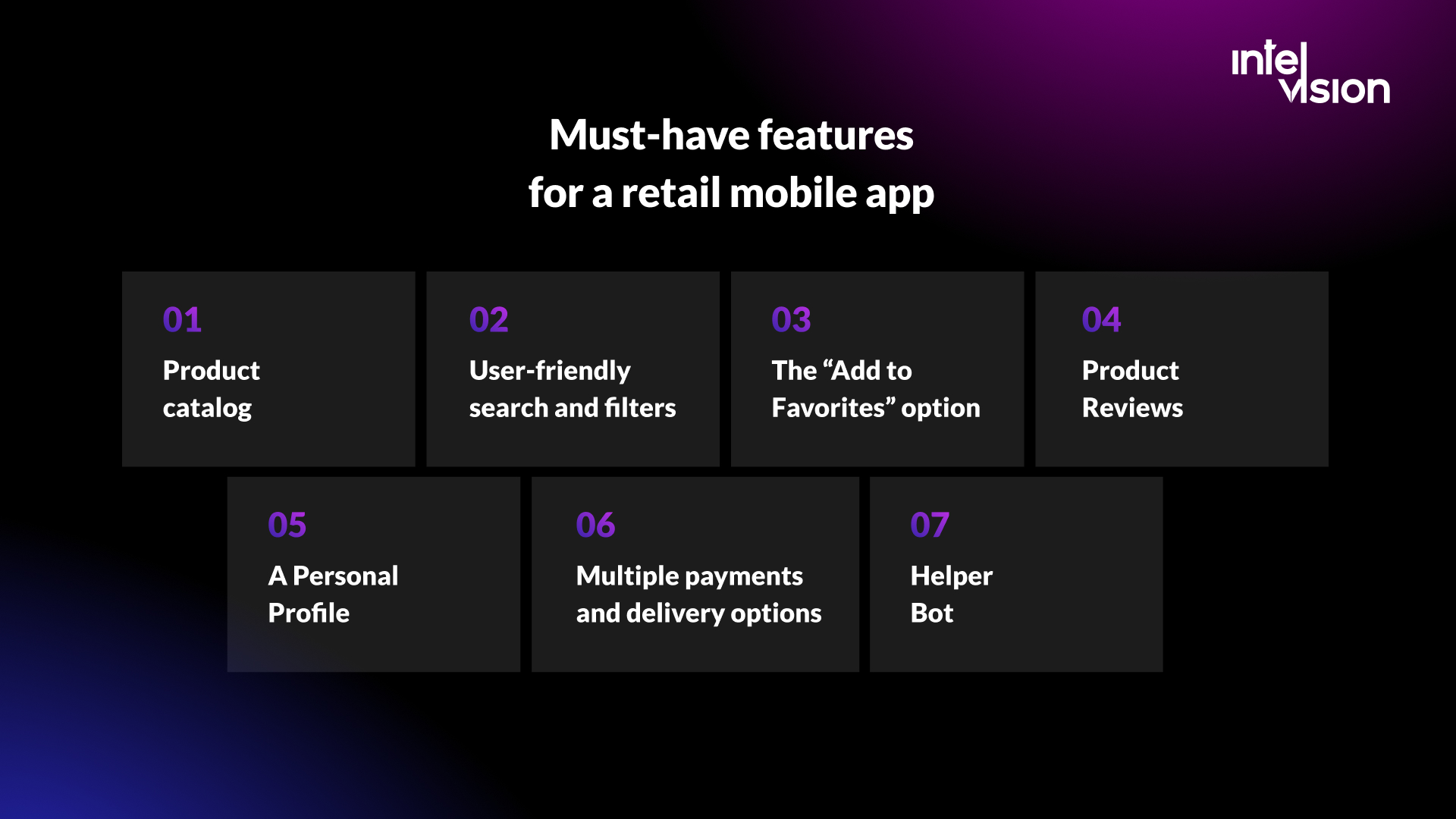
Must-have features for a retail mobile app
A personal account, a bonus program and push notifications are the features most retail apps are built around. Below is the full list we would build into a first version, followed by what has become necessary since 2022.
Product catalog
The catalog is the core of a retail app. Product search, discoverability and conversion all depend on how it is built. Make it fast and easy to use:
- use high-quality photos and, where it helps, short videos;
- publish detailed product descriptions, sizes and materials;
- keep prices and the catalog in sync with your commerce and ERP systems;
- show availability per store and delivery date.
User-friendly search and filters
Customers leave quickly when they cannot find what they came for, so search is where many app sales are won or lost. Search must tolerate typos and synonyms, and filters should let users sort by popularity, price, category ("New", "Trending", "Sale"), size and availability. In 2026 the best retail apps add visual search (take a photo, find similar products) and natural-language search ("waterproof hiking shoes under 120 euros").
The "Add to Favorites" option
Let users save products to favorites or wish lists. It increases the chance of a later purchase and gives you a reason to send a relevant message: an item back in stock, a price drop, the last size available.
Product reviews
Reviews and ratings help customers decide and reduce returns. Show them prominently, allow photos, and answer negative reviews visibly. A product with honest reviews sells better than one with none.
A personal profile
The profile holds addresses, payment methods, order history, loyalty status, preferences and delivery tracking. For the business it is the basis for personalization. Tip: offer sign-in with Apple, Google or a passkey. Not everyone wants to remember another password, and fewer passwords mean fewer account recovery tickets.
Multiple payment and delivery options
Offer cards, Apple Pay and Google Pay, plus the methods your market expects: in Europe that can mean local bank payment methods and buy now, pay later. In the 2025 US holiday season, buy now, pay later reached $20 billion in online spending, and smartphones drove 82.2% of those purchases. On delivery, offer home delivery, parcel lockers and store pickup, with clear dates before checkout.
Helper bot, now an AI shopping assistant
Customers expect fast answers about orders, returns and products at any hour, and a person cannot monitor requests 24/7. In 2022 this meant a rules-based chatbot. In 2026 it means an assistant that can answer product questions from your catalog and policies, track orders and hand over to a person when needed. More on that below.
Features that have become necessary since 2022
- Accessibility. In the EU this is now a legal requirement for consumer e-commerce, not a nice-to-have (see the rules section below).
- Order tracking and returns in the app. Self-service returns reduce support load and win repeat purchases.
- Offline tolerance. Stores, basements and trains have poor connectivity. Catalogs, loyalty cards and baskets should work offline and sync later.
- Privacy controls. A clear consent screen and a simple way to manage notification and tracking preferences.
How AI is changing retail apps in 2026
AI has moved from experiment to channel. Adobe measured that traffic to US retail sites from generative AI tools rose 693.4% year over year in the 2025 holiday season, while noting that the user base is still modest. Inside retail apps, Amazon is the clearest example. Around its October 2025 earnings call, Amazon said about 250 million shoppers had used its Rufus assistant that year, that customers who engage with Rufus are 60% more likely to complete a purchase, and that Rufus was expected to generate over $10 billion in annual incremental sales. Treat the purchase figure with care: shoppers who ask an assistant questions are already more likely to buy.
For a retailer without Amazon's budget, the useful AI features are practical:
- Conversational product search over your own catalog, so customers can ask for what they need in their own words.
- Product Q&A grounded in product data, manuals and reviews, which answers "will this fit" questions before they become returns.
- Personalized recommendations and offers based on purchase history and context.
- Support automation for order status, returns and delivery changes, with a clear handover to staff.
- Back-office help such as generating product descriptions or summarizing reviews for buyers and merchandisers.
Three rules keep AI features out of trouble. Ground answers in your own data and show sources, so the assistant cannot invent a return policy. Keep humans in the loop for refunds, complaints and anything legal. And be transparent: in the EU, the AI Act's transparency obligations have applied since 2 August 2026, with a grace period to 2 December 2026 for some systems already on the market, and customers should know when they are talking to an AI system. Intelvision builds these features as part of its AI product features work.
Apps for store staff and B2B sales teams
Not every retail app faces the customer. Some of the fastest returns come from apps for the people who serve customers: shop assistants, field sales representatives and warehouse staff. These apps have a captive audience, clear processes and measurable savings, so the business case is often easier to prove than for a consumer app.
- Order taking for field sales. Representatives visiting shops or B2B customers take orders on a phone or tablet, see stock and customer history, and sync with the ERP or CRM. Offline mode is essential, because shops, basements and rural routes often have no signal.
- Clienteling in the store. Staff see a returning customer's preferences and purchase history (with consent), check stock in other stores and order out-of-stock items for home delivery, so the sale is not lost.
- Inventory and shelf tasks. Barcode scanning for stock counts, price checks, replenishment and receiving goods replaces paper lists and spreadsheets.
- Task and shift communication. Store managers assign tasks, share planograms and confirm completion with photos.
The design rules differ from consumer apps. Speed of data entry beats visual polish, custom keyboards and scanning matter more than animations, and the app must survive a full shift on battery. Roles and permissions also matter: an administrator and a sales representative need different views of the same data. The Posude case further down is an example of exactly this kind of app.
What a retail mobile app costs in 2026
Clutch's app development pricing guide, updated in September 2026, reports that most app projects reviewed on Clutch range between $10,000 and $49,999, while the average project costs $90,780 and takes about 11 months. Typical agency rates on Clutch are $25 to $49 an hour, and Poland is listed at $50 to $99. The gap between the typical range and the average tells you that a few large projects pull the mean up, which matches what we see: a focused first version is affordable, a full omnichannel platform is not cheap.
What drives the cost
- Integrations. Connecting to your commerce platform, ERP, inventory, loyalty and payment systems is usually the largest single cost, more than the screens.
- Platforms and technology. One cross-platform code base (React Native, Flutter or .NET MAUI) costs less to build and maintain than separate iOS and Android apps, and suits most retail apps.
- Loyalty and personalization logic. Points, tiers and targeted offers need back-end rules, admin tools and testing.
- Offline and store features. Offline sync, barcode scanning and in-store payments add complexity.
- Running costs. Hosting, analytics, push and messaging tools, app store accounts, monitoring, OS updates and security patches. Budget for maintenance every year, not just the launch.
One cost retailers often overestimate: app store commissions. Apple's App Review Guidelines state that apps selling physical goods or services consumed outside the app must use purchase methods other than in-app purchase, such as Apple Pay or card entry. In-app purchase applies to digital content and features unlocked inside the app. Google Play's payments policy likewise says its billing system must not be used for physical goods and physical services. For a typical retailer selling physical products, neither store takes a commission on those sales; you pay your payment provider's usual fees instead.
How to estimate your budget
- Write down the three customer journeys the first version must support, for example browse and buy, reorder, and loyalty at the store checkout.
- List every system those journeys touch and whether it has an API.
- Ask two or three development partners for an estimate per journey and per integration, with the team composition and duration.
- Add 15% to 25% for unknowns in integrations, and a yearly maintenance budget.
- Compare the total with the revenue target you set for the app.
A note on technology lifecycles: many business apps built before 2024 used Xamarin. Microsoft ended support for all Xamarin SDKs on 1 May 2024, and Xamarin.Forms projects should be migrated to .NET MAUI. If your retail app is one of them, plan the migration before an OS update forces it.
Rules to check before you launch in Europe
- European Accessibility Act. Enforceable by member states since 28 June 2025, it covers e-commerce services, defined as buying and selling products and services online via a website or mobile application. Microenterprises, with fewer than ten employees and under €2 million turnover, have an exemption, so check with counsel whether it covers you. In practice, the requirements mean screen reader support, sufficient contrast, scalable text, labeled controls and an accessible checkout.
- GDPR and consent. Analytics, personalization and marketing push messages need a lawful basis, usually consent, and a way to withdraw it. Map which SDKs in your app collect personal data before release; third-party SDKs are a common blind spot.
- Payments. Strong customer authentication applies to most card payments in Europe; use payment providers whose mobile SDKs handle it.
- App store guidelines. Review Apple's and Google's rules early, especially for payments, account deletion and data disclosure labels, to avoid rejected releases.
- AI transparency. If you add an AI assistant, tell customers they are dealing with an AI system and keep a route to a person.
Famous retail store apps examples
The 2022 version of this article featured Etsy, eBay and AliExpress, which are marketplaces. For a retailer deciding on its own app, these three examples are more useful in 2026:
- Starbucks. The app combines ordering, payment and the Rewards program. In its fiscal third quarter of 2026, Rewards members accounted for 59% of tender dollars in US company-operated stores and mobile orders for 33% of transactions. The lesson: an app becomes indispensable when it saves the customer time on a frequent habit.
- Lidl Plus. A discount grocer built an app around digital coupons and instant rewards and reached more than 120 million users worldwide. The lesson: even in a low-price business, a simple loyalty app with clear savings is worth installing for customers.
- Amazon. The app is where Amazon tests new shopping behavior, now including its Rufus AI assistant. The lesson: AI search and product answers are becoming a standard expectation, and retailers will be compared with that experience.
From idea to launch: a step-by-step process
- Define the business goal and the repeat behavior. Which customer action should become faster or more frequent, and what number will show it?
- Run a short discovery. Interview customers and store staff, map the journeys, and audit the systems you must integrate. Two to four weeks is usually enough for a first version.
- Choose the technology. Cross-platform for most retail apps; native only where you need deep device features or have very large scale.
- Design and test with real users. Clickable prototypes tested with a handful of customers catch most usability problems before code.
- Build a focused first release. Catalog, search, account, checkout, order tracking and one loyalty mechanic. Ship it, then extend.
- Prepare the launch. Store listings, accessibility checks, consent flows, analytics events and in-store promotion so staff can tell customers why to install.
- Measure and iterate. Track installs, active users, conversion, repeat rate and crash-free sessions, and release improvements on a fixed cadence.
Pre-launch checklist
- Every journey works with a screen reader and at large text sizes.
- Push permission is requested in context, not at first launch.
- Prices, stock and loyalty balances match the website and the store.
- Checkout handles strong customer authentication and failed payments gracefully.
- Analytics events are named, documented and covered by consent.
- Crash reporting and monitoring are live before launch, not after.
- There is an owner and a budget for updates after release.
How to measure whether your retail app works
Agree the metrics before launch, and review them monthly with the people who own the budget. These are the ones we would track for a consumer retail app:
| Metric | What it tells you | How to use it |
|---|---|---|
| Monthly active users as a share of installs | Whether people keep the app after installing it | A falling share means the app is not giving a reason to return |
| Repeat purchase rate of app users | Whether the app changes buying habits | Compare with the same customers' behavior before they installed |
| App share of total revenue | Whether the app matters to the business | Track by channel, including store pickups started in the app |
| Checkout conversion and drop-off step | Where purchases fail | Fix the worst step first; payment errors are a common cause |
| Push opt-in rate and opt-outs | Whether customers value your messages | Rising opt-outs mean too many or irrelevant messages |
| Loyalty enrollment and redemption | Whether the program motivates customers | Rewards that are never redeemed are too hard to reach |
| Crash-free sessions and app store rating | Technical quality as customers experience it | Treat a falling rating as an incident, not a marketing problem |
For staff and B2B apps, replace the revenue metrics with process ones: orders entered per hour, data entry errors, time from order to invoice, and adoption across the sales team.
Common mistakes in retail app projects
- Copying the website into an app. If the app does nothing the website cannot, customers have no reason to install it.
- Asking for everything on first launch. Account, location and notification prompts before the customer sees a product are a fast route to uninstalls.
- Underestimating integrations. A beautiful app with wrong stock or missing loyalty points destroys trust quickly.
- No plan after launch. Apps need updates for new OS versions, security patches and features. An app that is not maintained gets worse every year.
- Measuring downloads instead of repeat use. Installs are easy to buy; active, repeat customers are the goal.
How could Intelvision help with a mobile app for your retail store
For retailers with repeat customers, physical stores or field sales teams, the mobile app has become a core business tool rather than a marketing extra. Intelvision builds custom software, from MVPs and new products to integrations and modernization, and places senior mobile developers inside product teams.
A retail example from our case studies is Posude, a mobile-first B2B order-taking app for sales representatives and shop assistants, built from scratch. Intelvision assembled a compact team, one full-stack developer and one QA engineer, within 12 days, and the MVP was delivered in three months.
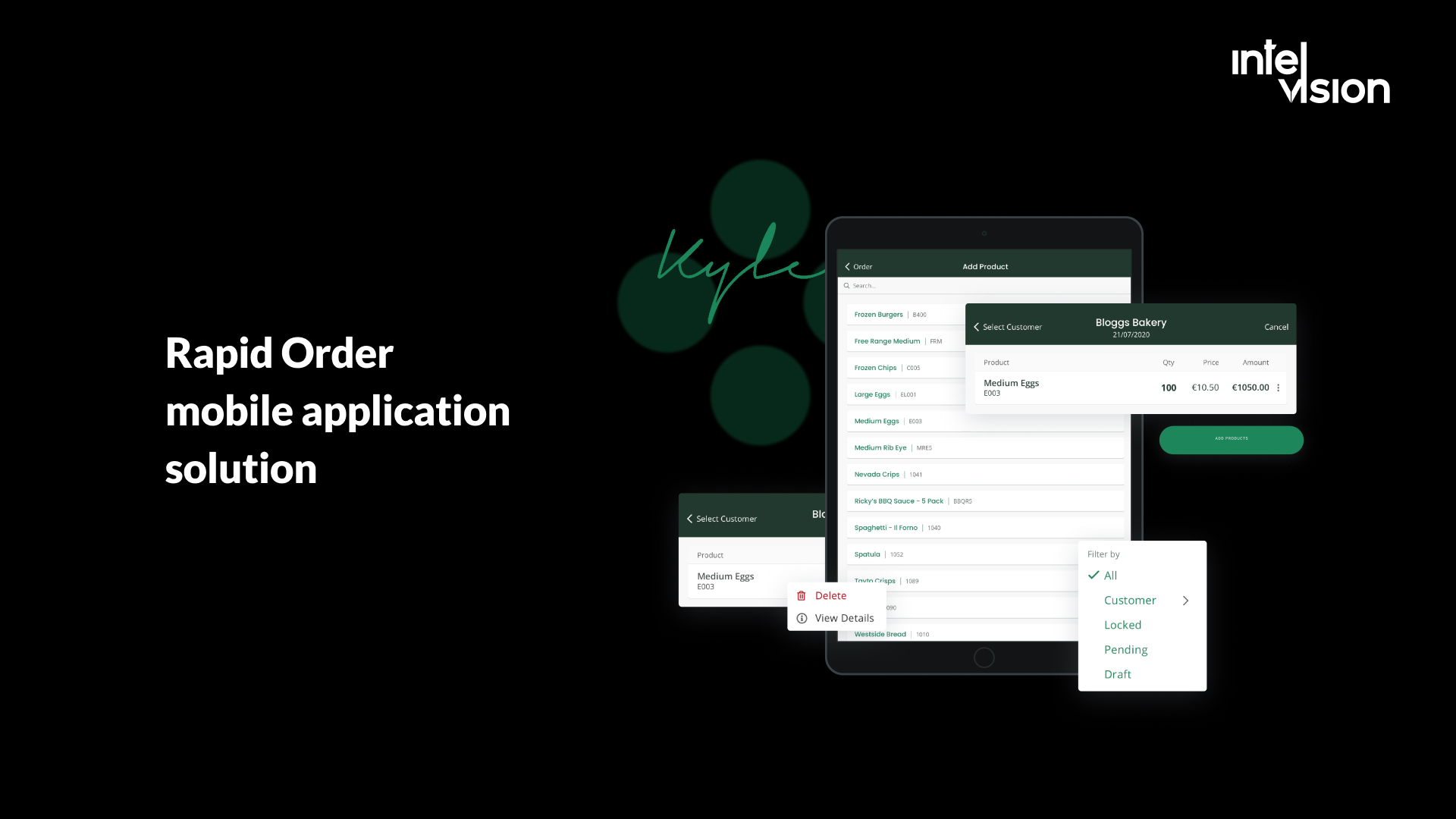
The published case lists dual-role login for administrators and sales representatives, custom filters for fast customer and order lookup, and CRM database synchronization. The main solutions:
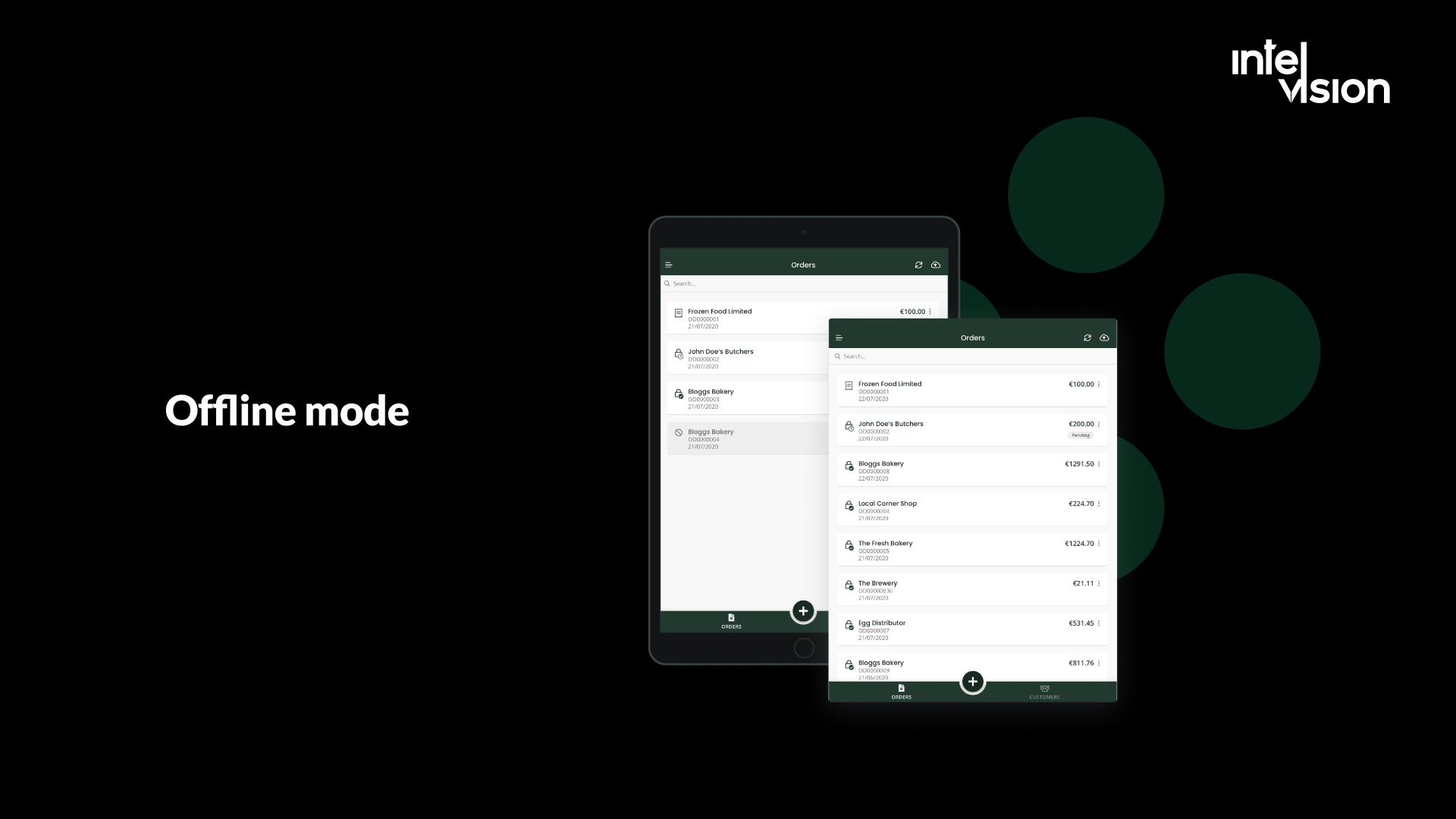
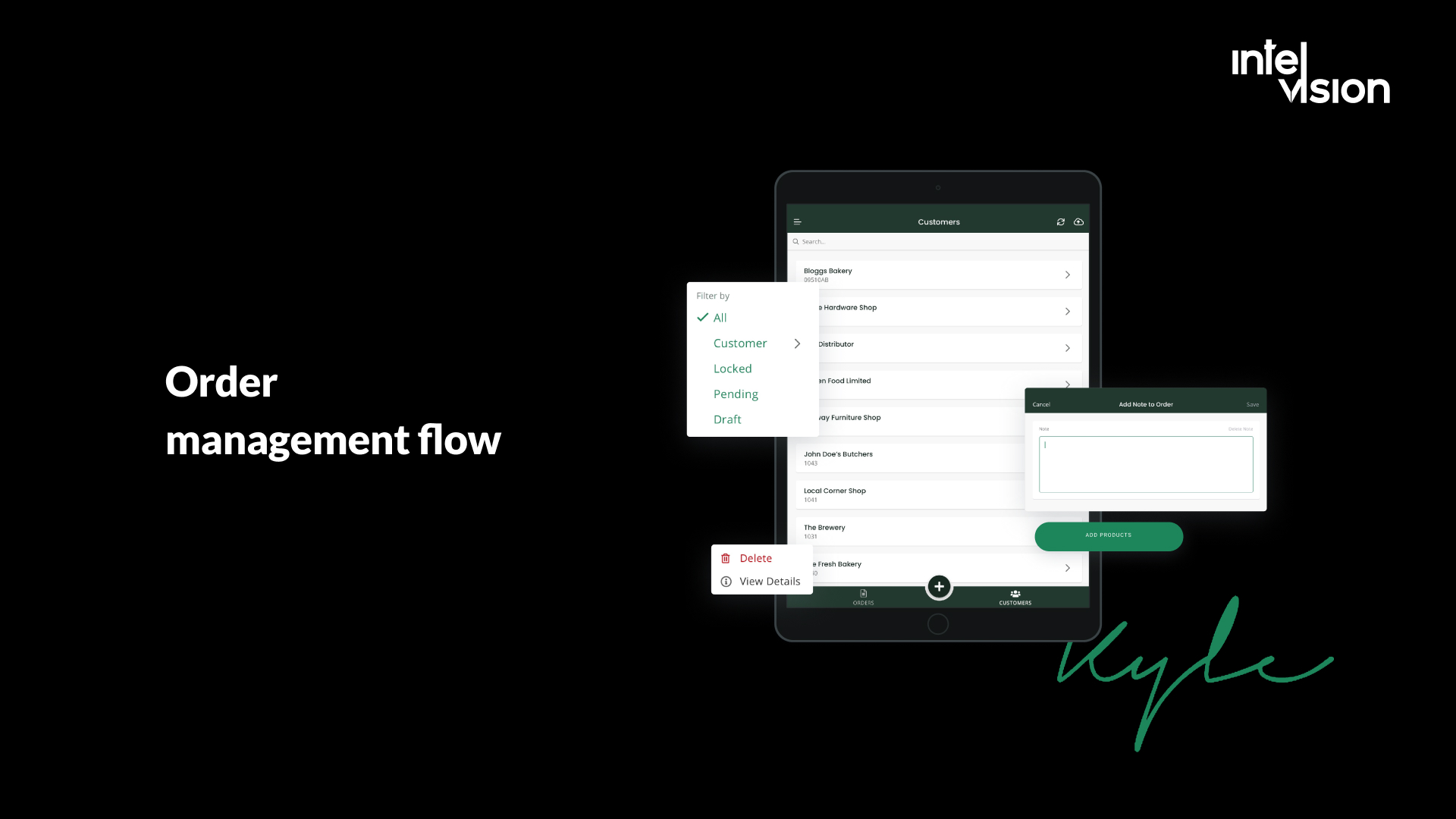
- Offline-first architecture. Field reps often work without an internet connection, so the app runs offline and syncs automatically when it reconnects, with CRM synchronization.
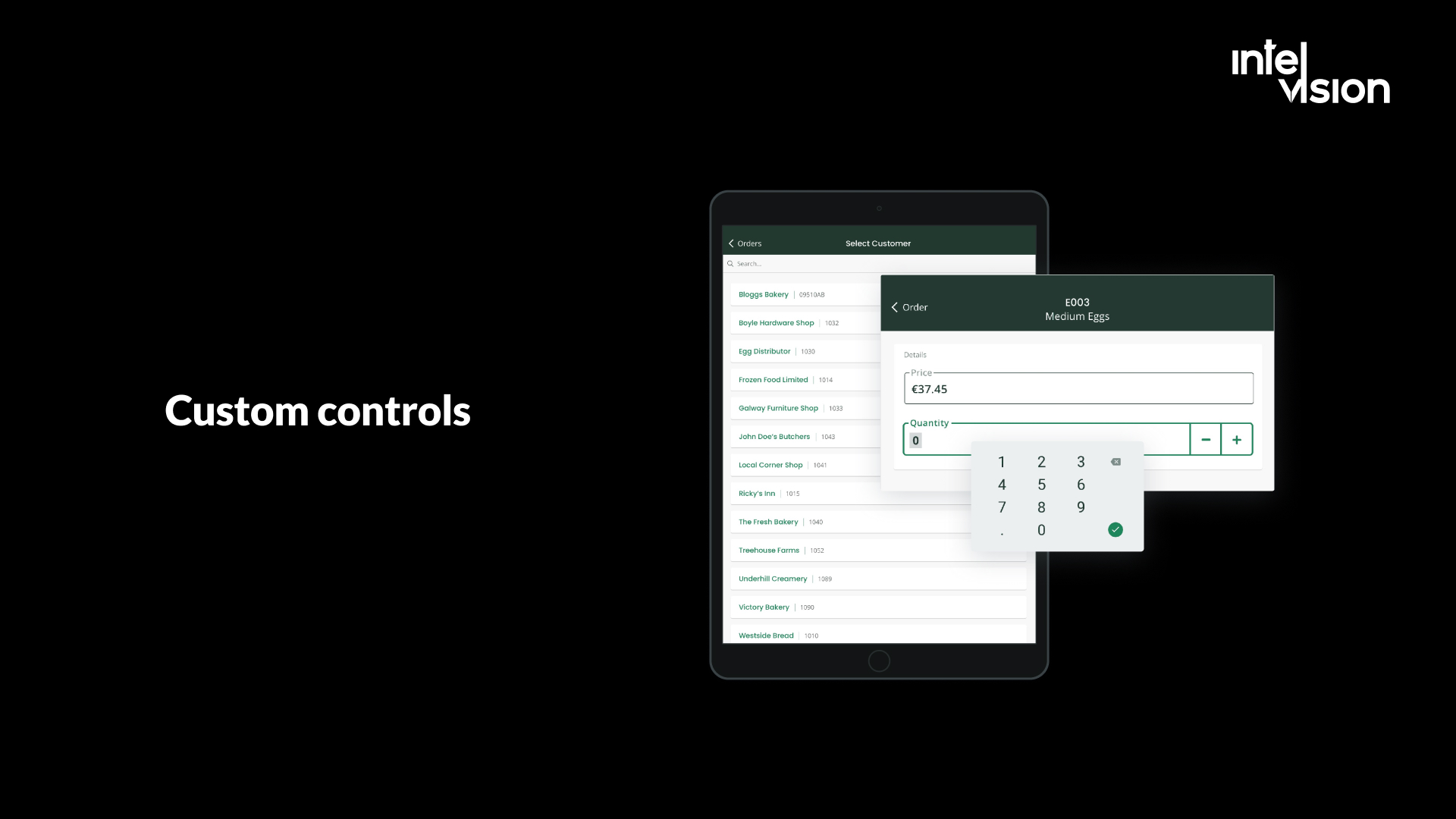
- Business-ready UX with custom controls. Custom input fields and keyboards, simplified workflows and minimal taps for busy field users, so order data is entered fast and accurately.
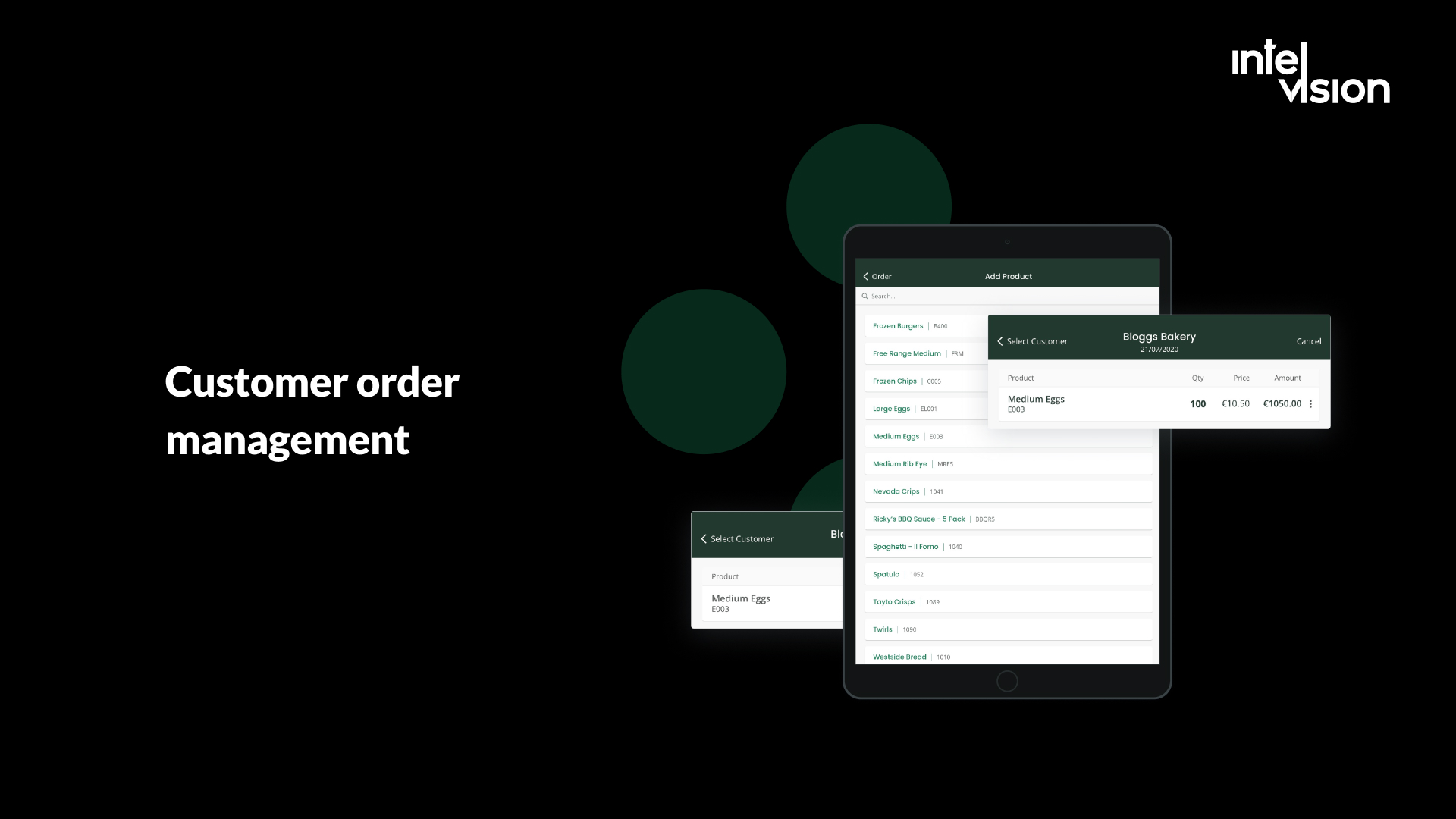
- Order management flow. Sales representatives create customer orders, sign and approve them, from product selection to signature approval.
- CRM synchronization. Orders and customer data sync with the client's CRM database, so office and field work from the same records.
The team used Xamarin Forms with the MVVM pattern via the Prism library, chosen for clean code, modularity and long-term maintainability within the budget, to meet the client's requirement for a clean architecture with high test coverage, and the case reports delivery in three months, on time and on budget. A new build today would apply the same architecture on a currently supported framework such as .NET MAUI, React Native or Flutter.
Two other published cases show the consumer side. For a Western European vehicle diagnostics platform with a mobile-first app, the published results include a 24% increase in customer retention due to improved UX and an app store rating that rose from 3.2 to 4.6. For GiFiT, an e-commerce gifting product in the Czech Republic, the team built and released an MVP with QR-powered gifting and an integrated CRM in three months.
Posude needed an order-taking app built from scratch for sales representatives working with limited or no connectivity, on a limited budget. Its representatives can now manage customer orders offline, from product selection to signature approval, and sync to the CRM once reconnected.
Conclusion
Shoppers have moved to their phones, but they keep only a handful of retail apps. A retail app is worth building when your customers buy often, when you run a loyalty program, when you have stores to connect, or when staff need tools that work offline. It is not worth building as a copy of your website.
The hard part of retail mobile app development is rarely the screens. It is the integrations, the loyalty logic, accessibility, and keeping the app maintained after launch. Start with a focused first version tied to one measurable goal, and extend from there. For more on the online side, read our guides to e-commerce website features and retail marketing technology, or contact us to discuss your project.
Are you ready to become the next business that benefits from its own app?
Sources
- GSMA Intelligence: The Mobile Economy 2026
- Adobe: Holiday shopping season drove a record $257.8 billion online (January 2026)
- Sensor Tower: State of Mobile 2026 press release
- Starbucks: Card, Loyalty and Mobile Dashboard, Q3 FY26
- RetailDetail: Lidl Plus reaches 120 million users following global rollout
- Android Developers: Notification runtime permission
- Airship: Guide to the mobile app push notification benchmarks for 2026
- Fortune: Amazon's Rufus AI shopping assistant and $10 billion in sales (November 2025)
- Addleshaw Goddard: EU AI Act, AI Omnibus formally adopted
- Clutch: App Development Pricing Guide
- Apple: App Review Guidelines
- Microsoft: Xamarin support policy
- Travers Smith: A new milestone for accessibility, the European Accessibility Act applies
- Google Play Console Help: Payments policy
Read Intelvision often? Add us as a preferred source in Google Search.
Add to preferred sources